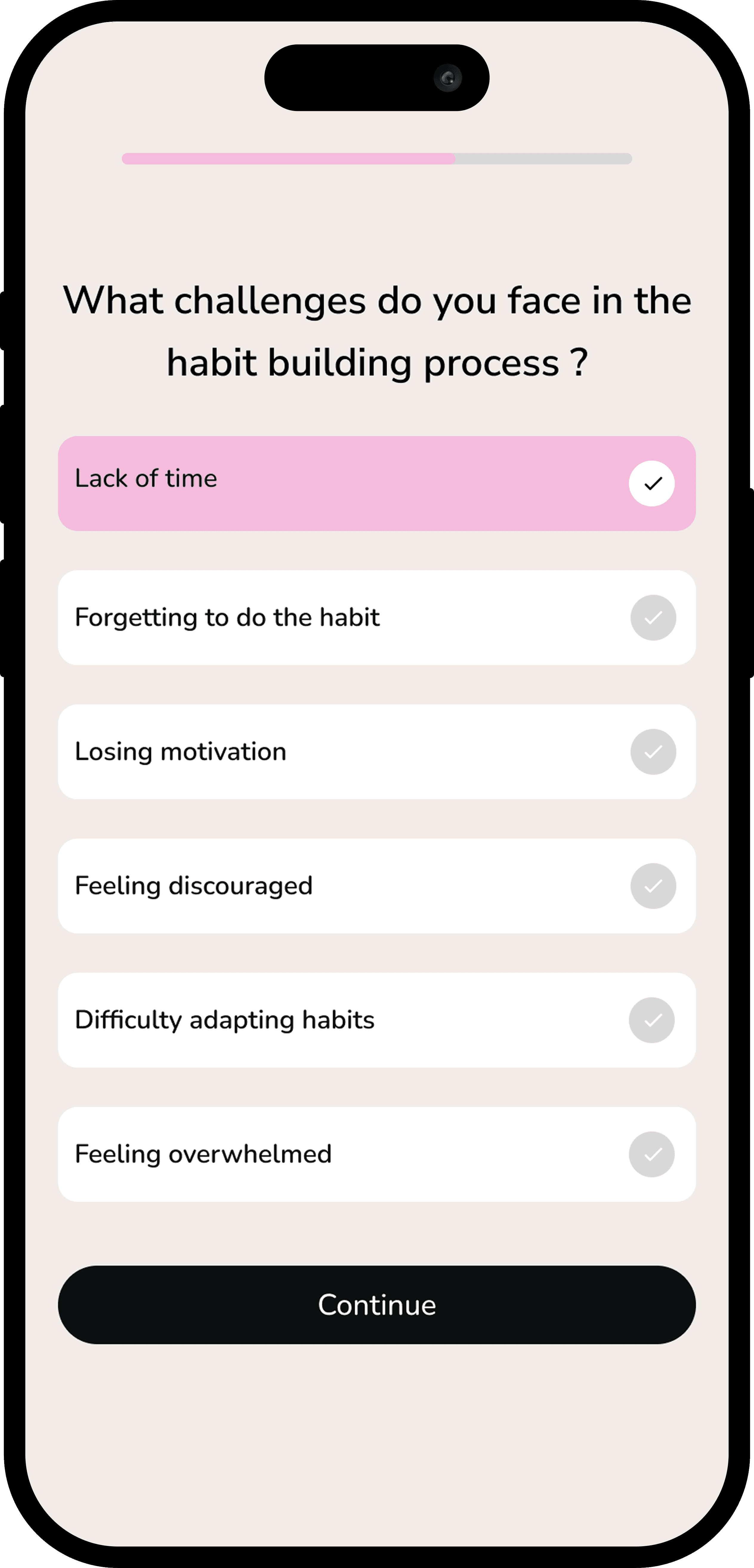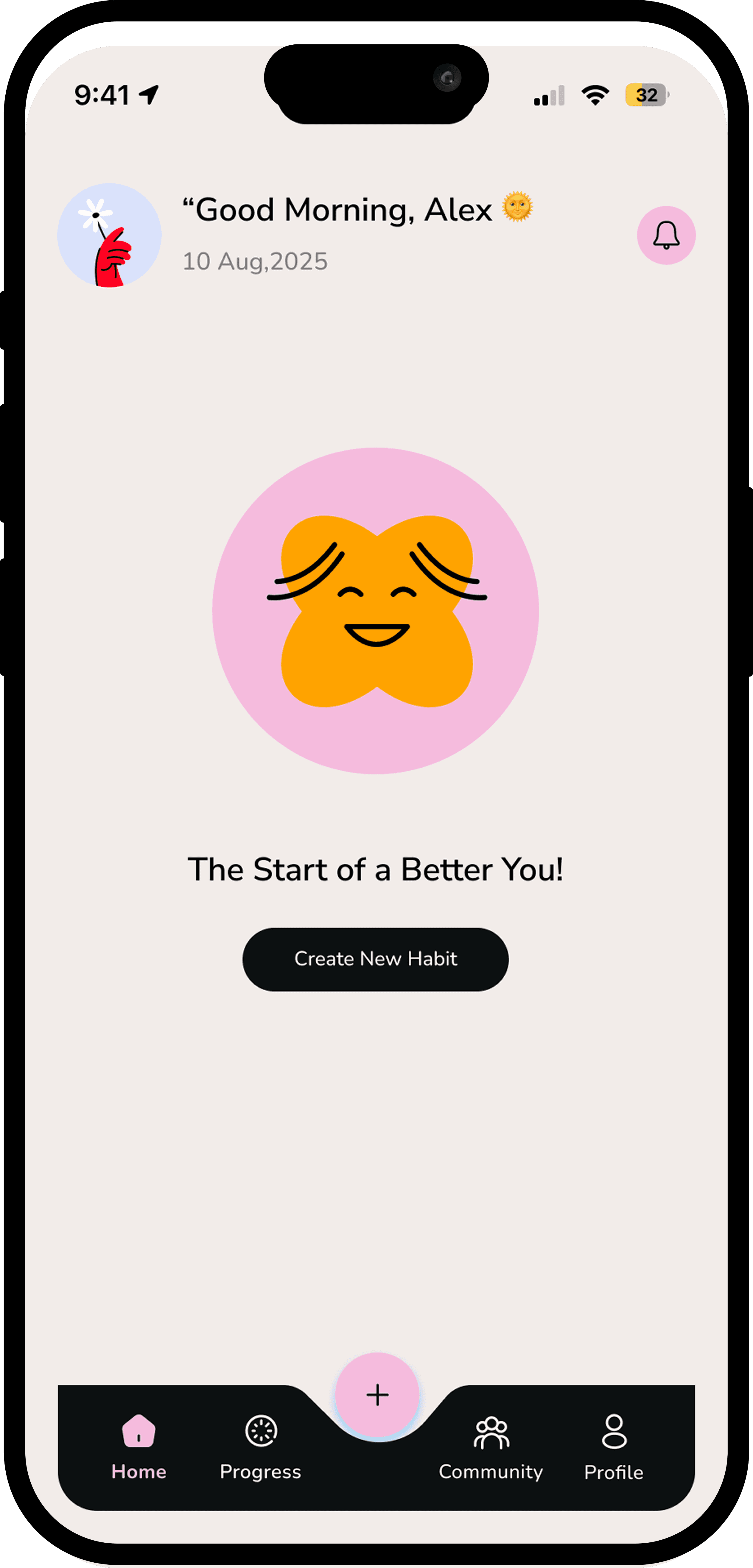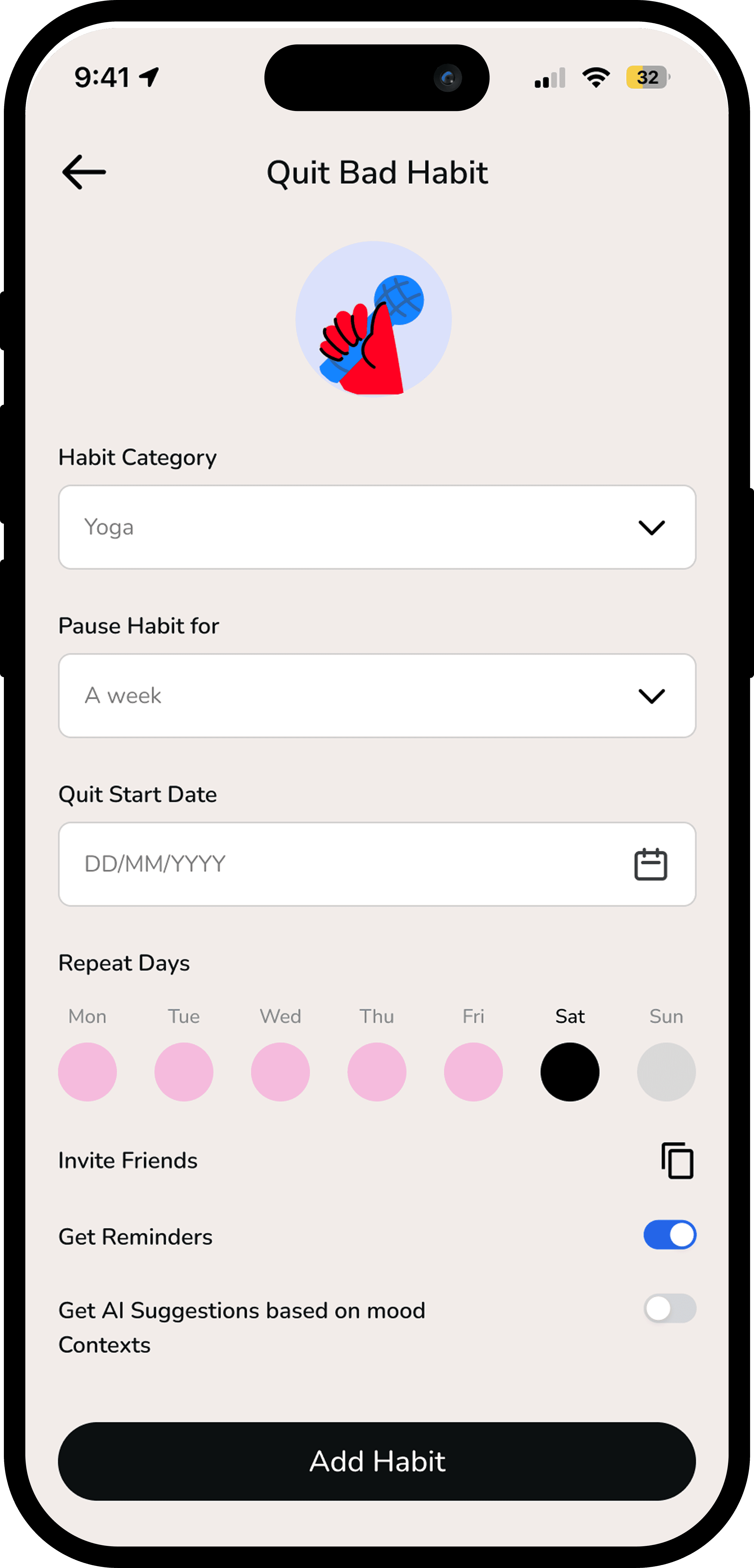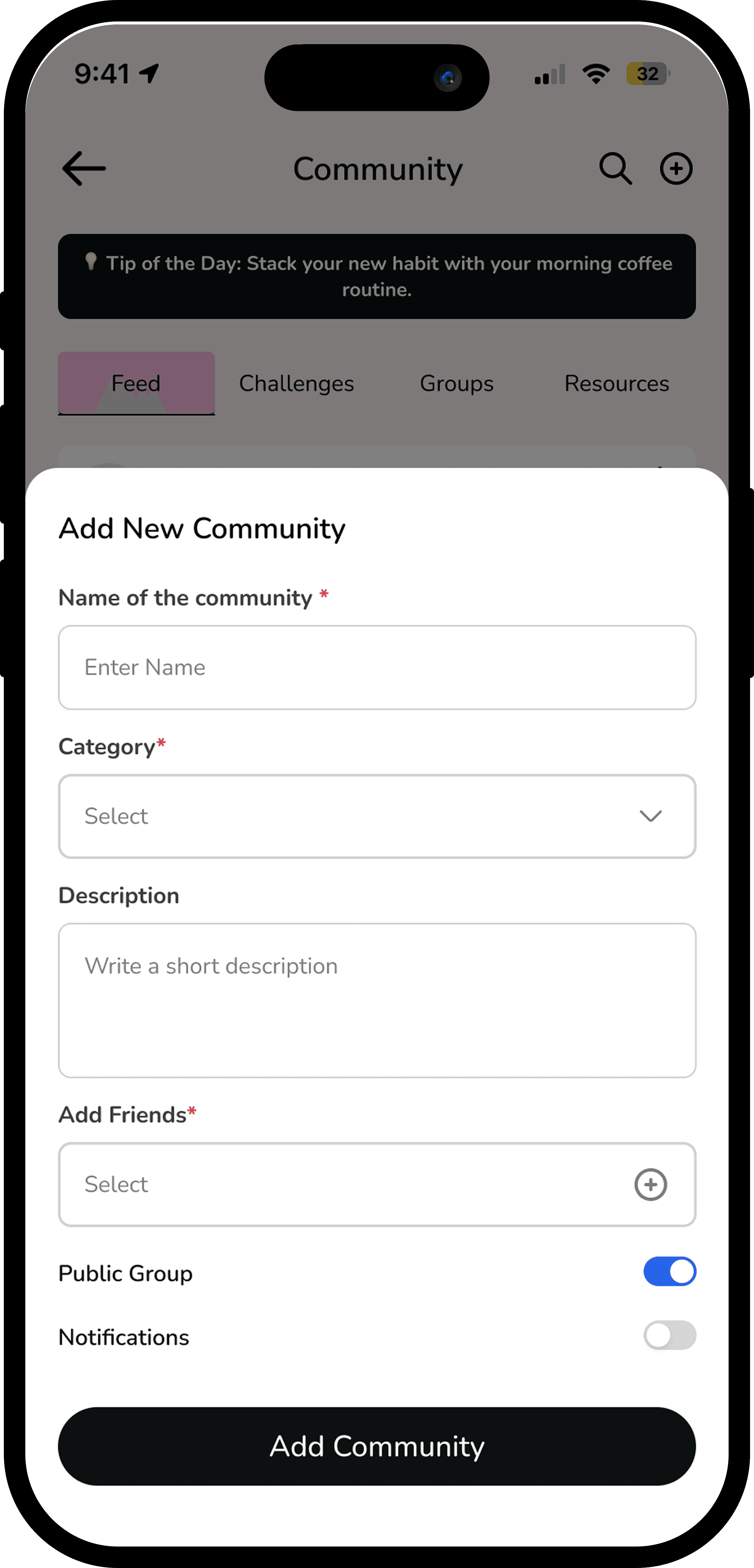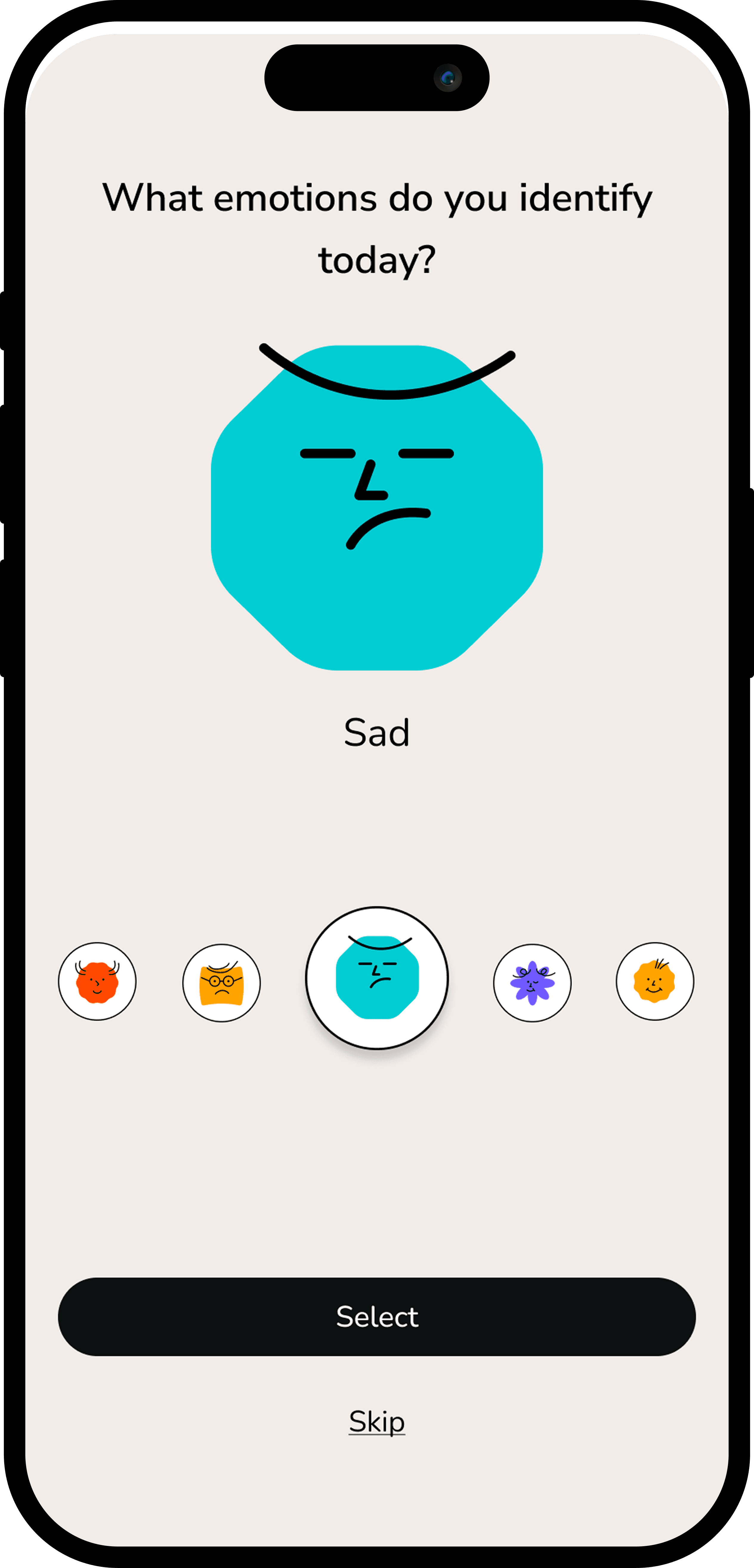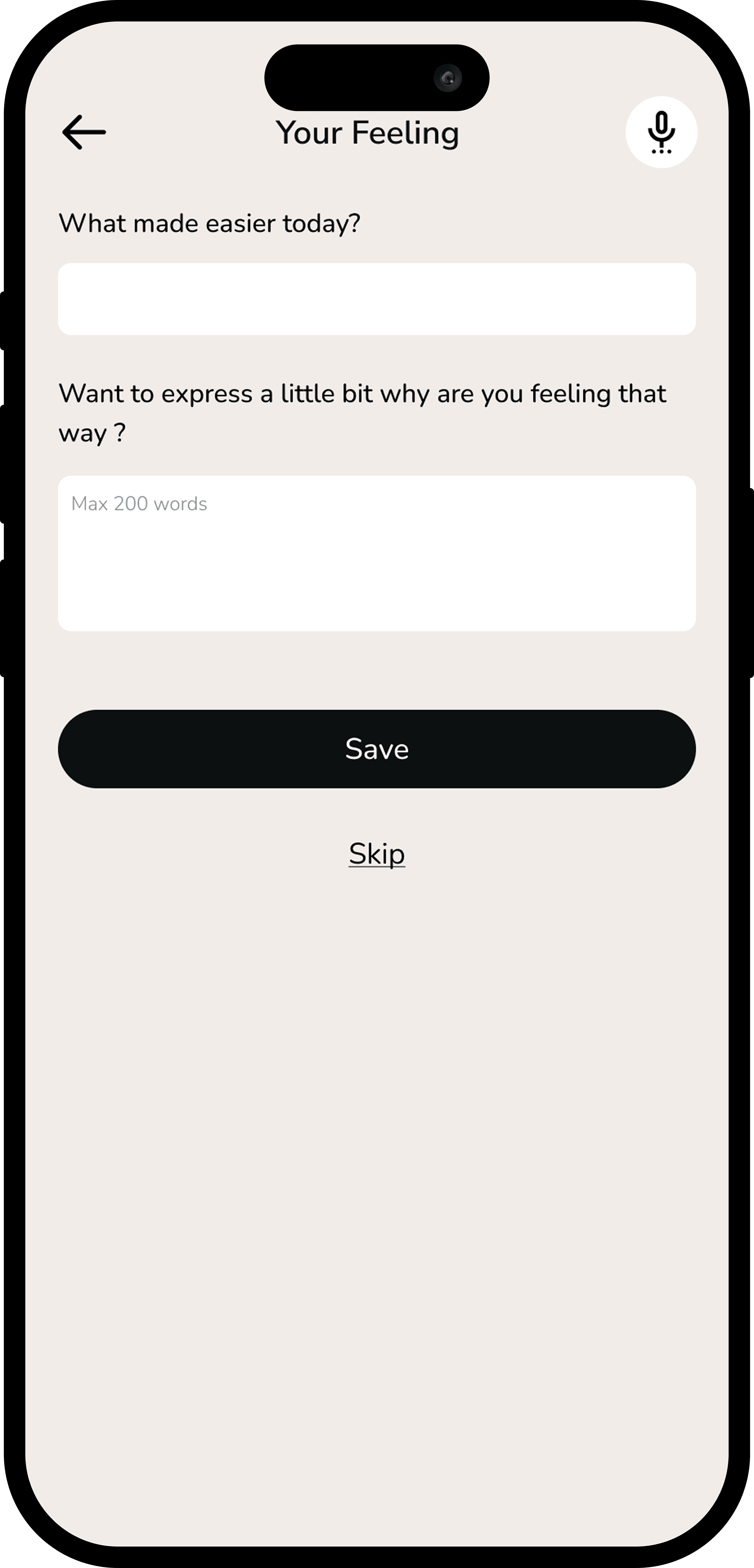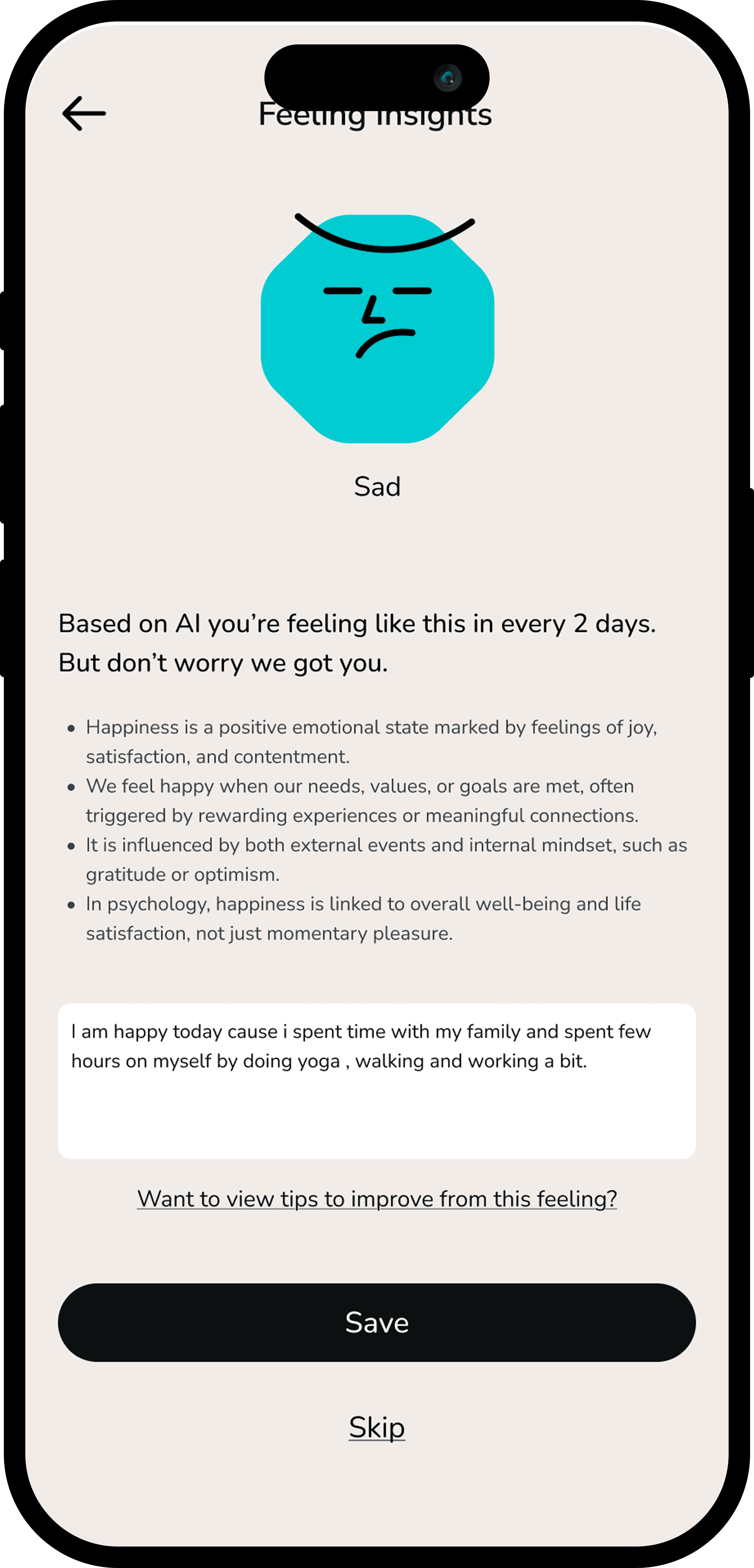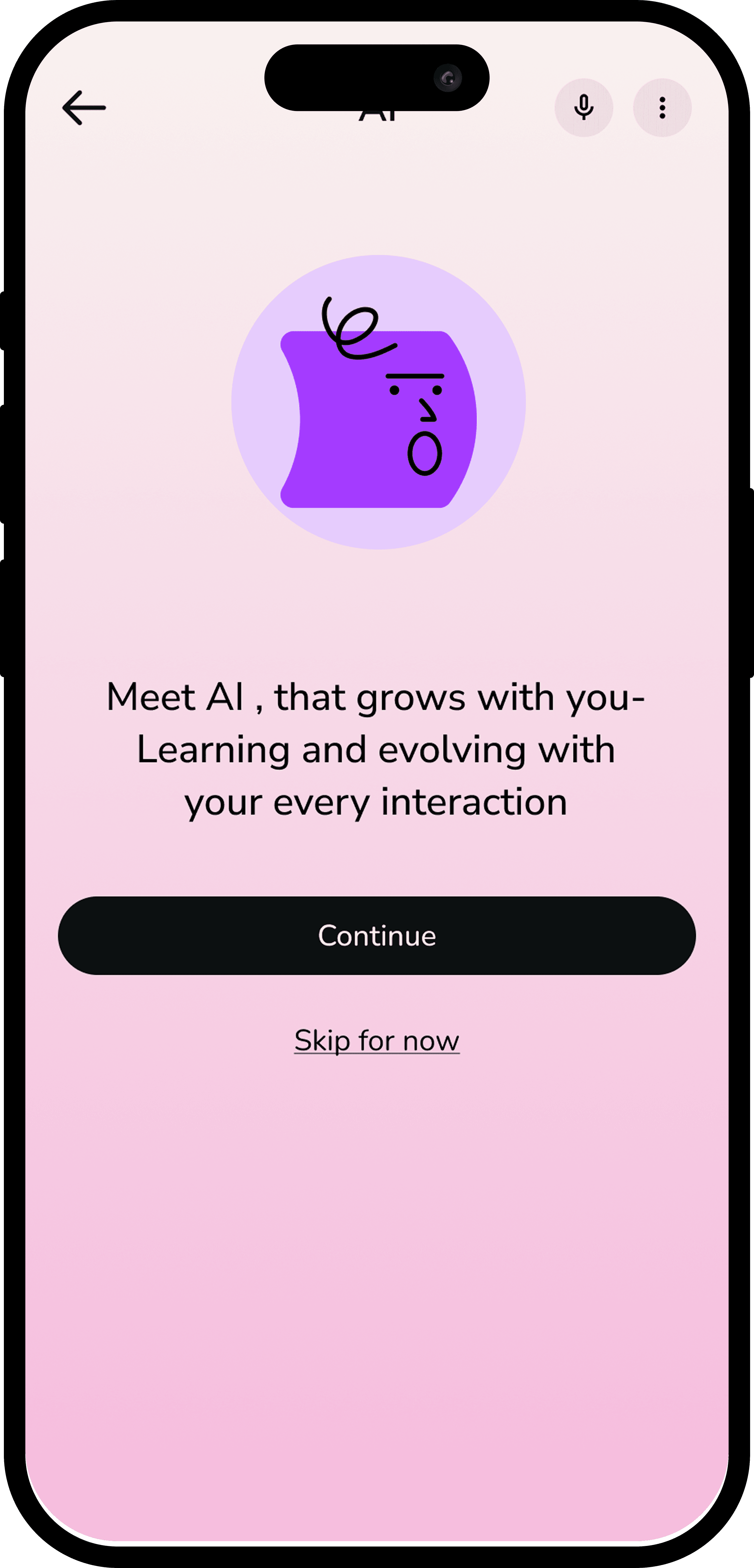

Habit Mate — An Emotionally Intelligent Habit Coach

Habit Mate — An Emotionally Intelligent Habit Coach

Habit Mate — An Emotionally Intelligent Habit Coach

Designing habits with empathy, AI, and behavioural psychology

Designing habits with empathy, AI, and behavioural psychology

Designing habits with empathy, AI, and behavioural psychology

My Role

My Role

My Role

Role: Lead UX Designer

Duration: 8 weeks

Context: University Final Dissertation Project

I led the end-to-end UX design process for Habit-Mate, from research and problem definition to interaction design and usability testing. As part of the project, I led a team of 7 designers, facilitating design discussions, critique sessions, and decision-making.

I also collaborated with two behavioral-science students to validate psychological frameworks and ensure the design aligned with behavior-change principles. While the final design ownership was mine, I actively incorporated feedback from peers and mentors to iterate and refine key design decisions.

Tools & Methods: Figma, Miro, Notion, user interviews, behavioral mapping, IA design, wireframing, usability testing, and habit-loop frameworks.

Role: Lead UX Designer

Duration: 8 weeks

Context: University Final Dissertation Project

I led the end-to-end UX design process for Habit-Mate, from research and problem definition to interaction design and usability testing. As part of the project, I led a team of 7 designers, facilitating design discussions, critique sessions, and decision-making.

I also collaborated with two behavioral-science students to validate psychological frameworks and ensure the design aligned with behavior-change principles. While the final design ownership was mine, I actively incorporated feedback from peers and mentors to iterate and refine key design decisions.

Tools & Methods: Figma, Miro, Notion, user interviews, behavioral mapping, IA design, wireframing, usability testing, and habit-loop frameworks.

Overview

Overview

Overview

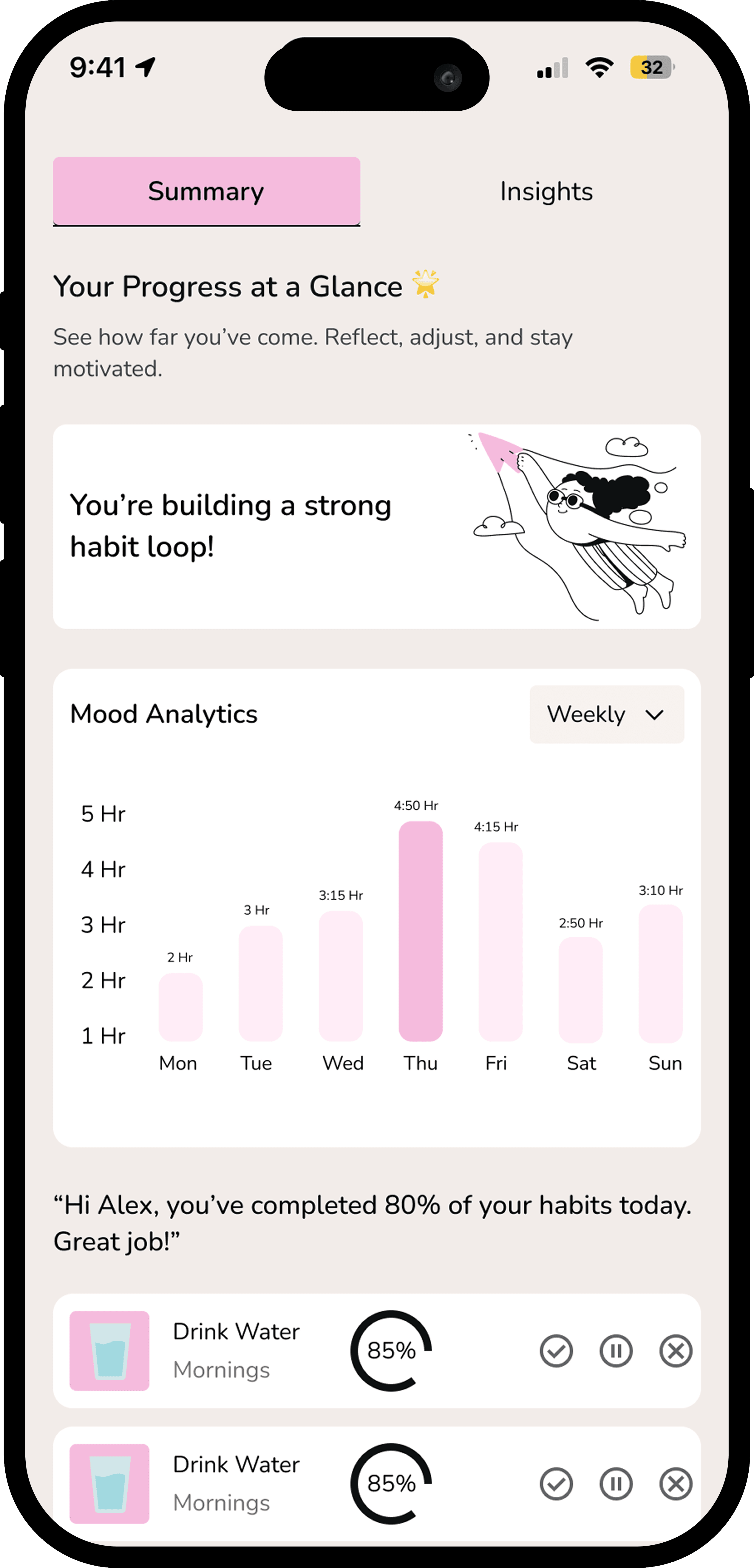
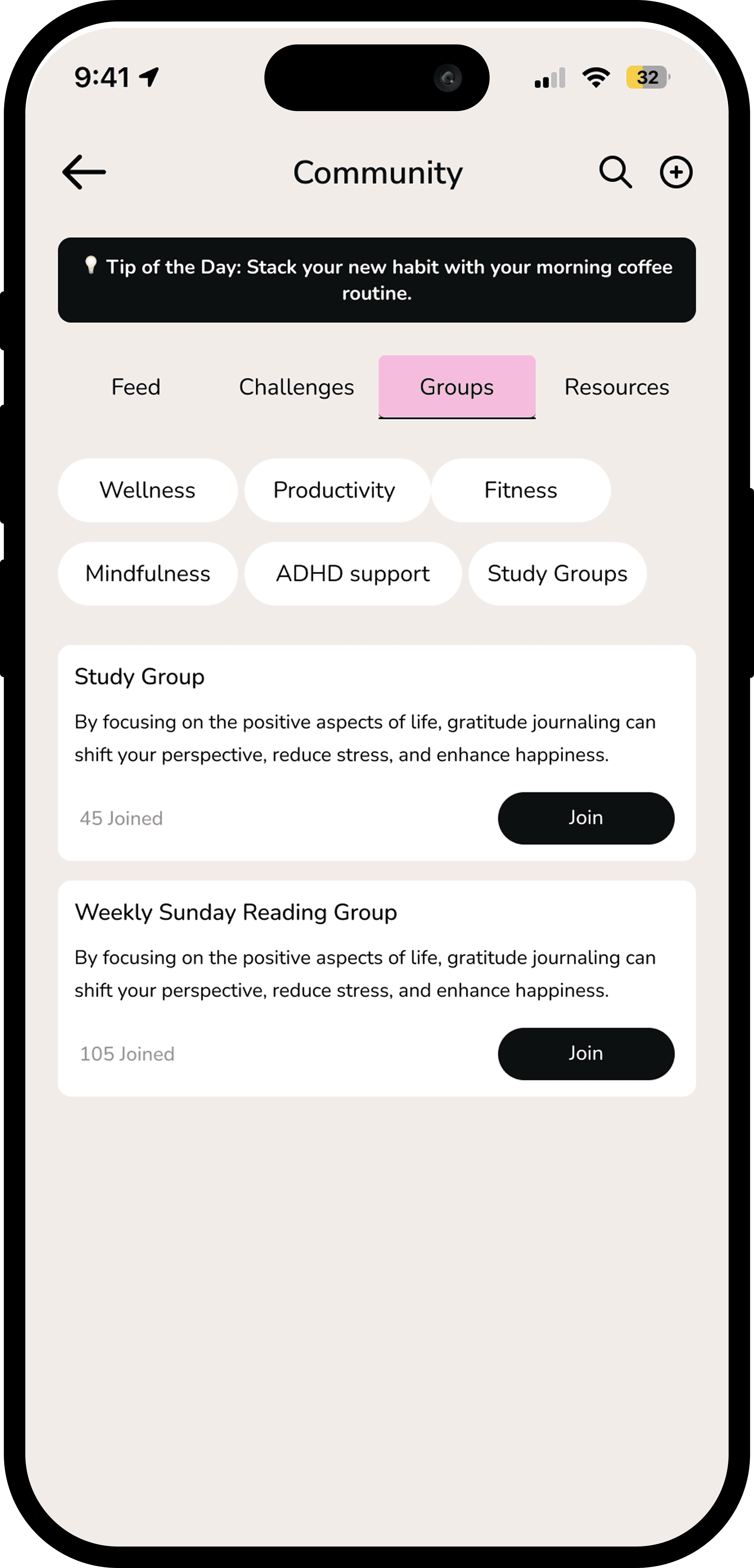
Habit-Mate is a mobile habit-formation app designed to help users build and sustain daily habits without guilt or burnout.


I designed Habit-Mate to address a common failure in existing habit trackers — rigid streaks and checklist-driven systems that punish inconsistency and disengage users over time.


Using behavioral psychology principles such as cue–routine–reward loops, commitment design, and positive reinforcement, the app reframes habit-building as a flexible, emotionally supportive process rather than a pass/fail system. The primary goal was to increase long-term habit adherence while reducing early drop-off caused by guilt, overwhelm, and loss of motivation.

Habit-Mate is a mobile habit-formation app designed to help users build and sustain daily habits without guilt or burnout.

I designed Habit-Mate to address a common failure in existing habit trackers — rigid streaks and checklist-driven systems that punish inconsistency and disengage users over time.

Using behavioral psychology principles such as cue–routine–reward loops, commitment design, and positive reinforcement, the app reframes habit-building as a flexible, emotionally supportive process rather than a pass/fail system. The primary goal was to increase long-term habit adherence while reducing early drop-off caused by guilt, overwhelm, and loss of motivation.

Impact

Impact

AI-driven, emotionally aware reminders help users stay consistent even when motivation drops.

AI-driven, emotionally aware reminders help users stay consistent even when motivation drops.

Mood-based support and positive reinforcement reduce guilt, burnout, and cognitive overload.

Mood-based support and positive reinforcement reduce guilt, burnout, and cognitive overload.

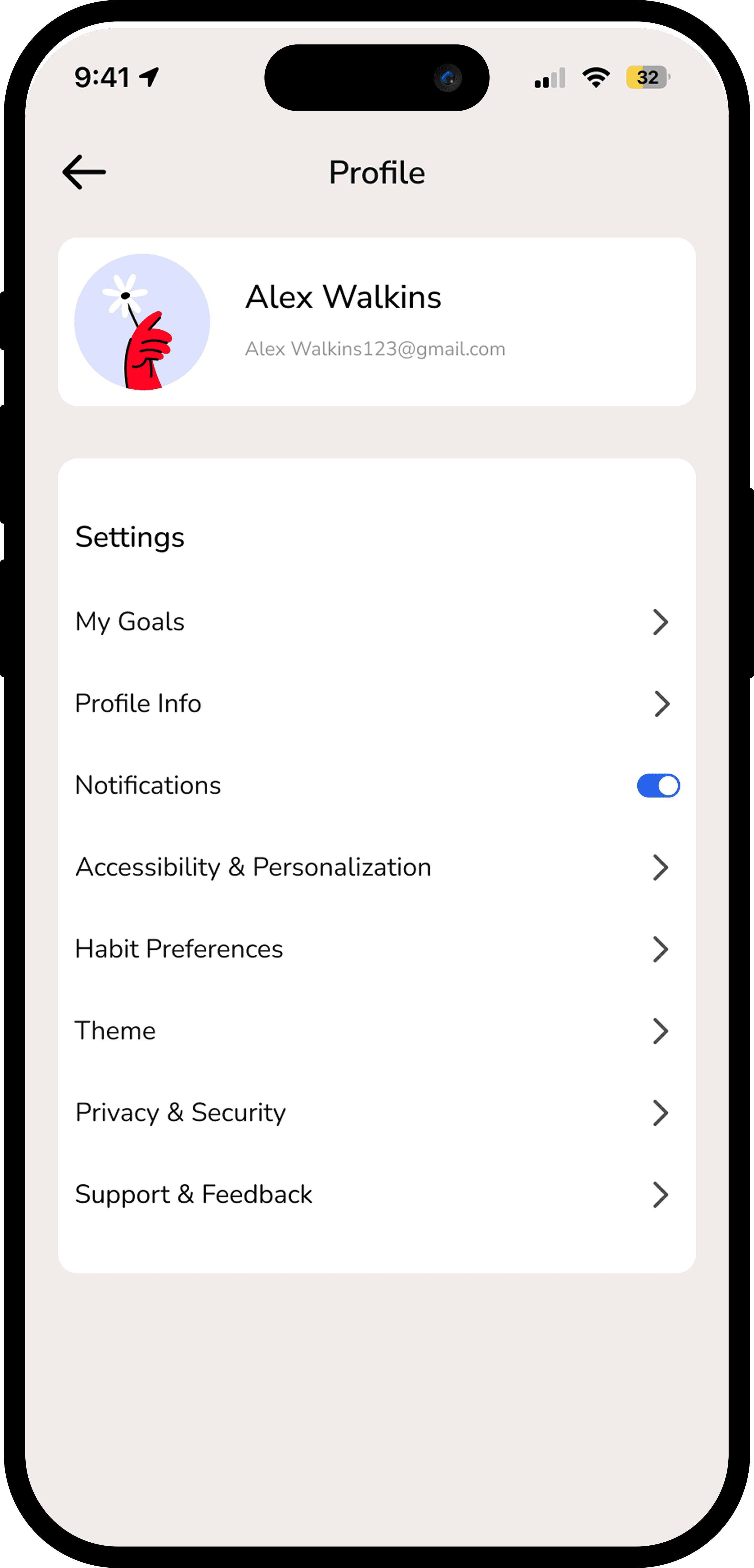
Simplified flows, adaptive nudges, and sensory-friendly design make habit building accessible for users with ADHD or anxiety.

Simplified flows, adaptive nudges, and sensory-friendly design make habit building accessible for users with ADHD or anxiety.

Adaptive insights, progress trends, and personalised habit suggestions empower users to understand and improve their behaviour over time.

Adaptive insights, progress trends, and personalised habit suggestions empower users to understand and improve their behaviour over time.

Problem Statement

Problem Statement

Most habit-tracking apps fail not because users lack discipline, but because the systems are emotionally unsupportive and inflexible.

During early research, we observed a recurring pattern: users downloaded habit apps with strong initial motivation, remained consistent for 1–2 weeks, missed a day, and then disengaged entirely. The moment of failure — a skipped habit — often triggered guilt, frustration, or a sense of “starting over,” leading to abandonment rather than recovery.

Three core pain points consistently emerged:

  1. "Loss of intrinsic motivation: users felt habits became chores rather than meaningful routines."

  2. "Rigid streak-based systems: missed days were treated as failure, discouraging re-engagement."

  3. "Lack of emotional or contextual support: experiences felt robotic and non-adaptive to motivation changes. "

Users needed a habit system that could adapt to fluctuations in motivation and emotionally support progress — not one that punished inconsistency.

Most habit-tracking apps fail not because users lack discipline, but because the systems are emotionally unsupportive and inflexible.

During early research, we observed a recurring pattern: users downloaded habit apps with strong initial motivation, remained consistent for 1–2 weeks, missed a day, and then disengaged entirely. The moment of failure — a skipped habit — often triggered guilt, frustration, or a sense of “starting over,” leading to abandonment rather than recovery.

Three core pain points consistently emerged:

  1. "Loss of intrinsic motivation: users felt habits became chores rather than meaningful routines."

  2. "Rigid streak-based systems: missed days were treated as failure, discouraging re-engagement."

  3. "Lack of emotional or contextual support: experiences felt robotic and non-adaptive to motivation changes. "

Users needed a habit system that could adapt to fluctuations in motivation and emotionally support progress — not one that punished inconsistency.

Why this probelm matters??

Why this probelm matters??

Habit formation directly impacts mental health, productivity, and overall well-being. However, many habit-building tools unintentionally exclude users who struggle with consistency, anxiety, ADHD, or fluctuating motivation.


From a design perspective, this problem highlighted the responsibility of interaction design in shaping emotional outcomes. Systems that frame progress as binary success or failure can negatively influence self-perception and long-term engagement.


Habit-Mate was an opportunity to explore how emotionally intelligent UX and flexible interaction patterns could support sustainable behavior change, especially for users underserved by rigid, performance-driven productivity tools.

Habit formation directly impacts mental health, productivity, and overall well-being. However, many habit-building tools unintentionally exclude users who struggle with consistency, anxiety, ADHD, or fluctuating motivation.


From a design perspective, this problem highlighted the responsibility of interaction design in shaping emotional outcomes. Systems that frame progress as binary success or failure can negatively influence self-perception and long-term engagement.


Habit-Mate was an opportunity to explore how emotionally intelligent UX and flexible interaction patterns could support sustainable behavior change, especially for users underserved by rigid, performance-driven productivity tools.

Research

Research

To understand why habit-building apps fail beyond surface-level usability issues, I conducted qualitative research focused on motivation, emotional response, and day-to-day behavior.


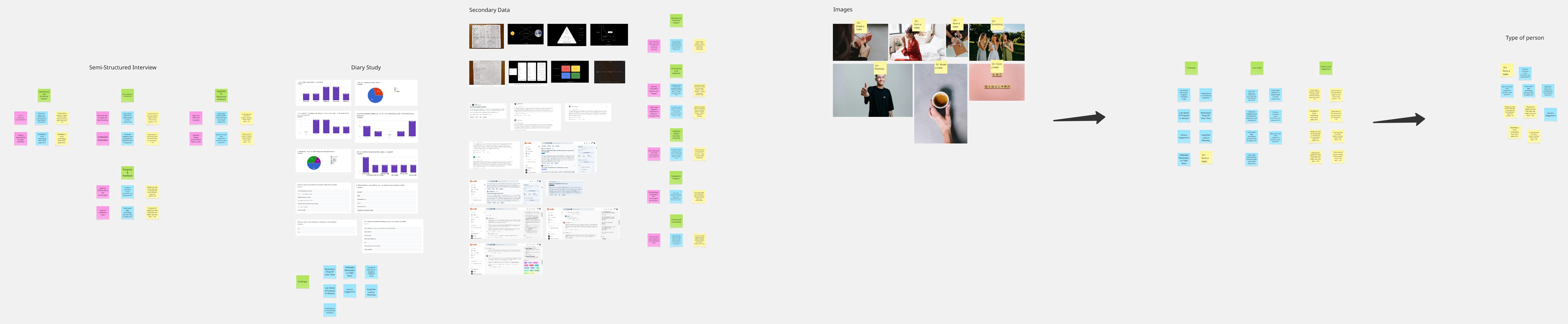
I ran semi-structured user interviews to explore how people start habits, where they struggle, and what emotional triggers cause disengagement. To capture real-world behavior beyond recall bias, I conducted a 3-participant diary study, which revealed fluctuations in motivation tied to stress, mood, and daily context.


I complemented this with secondary research and behavioral psychology literature (BJ Fogg Model, Atomic Habits) to ground insights in proven behavior-change frameworks. A competitive analysis helped identify where existing products succeed in engagement but fail in emotional adaptability and inclusivity.

To understand why habit-building apps fail beyond surface-level usability issues, I conducted qualitative research focused on motivation, emotional response, and day-to-day behavior.


I ran semi-structured user interviews to explore how people start habits, where they struggle, and what emotional triggers cause disengagement. To capture real-world behavior beyond recall bias, I conducted a 3-participant diary study, which revealed fluctuations in motivation tied to stress, mood, and daily context.


I complemented this with secondary research and behavioral psychology literature (BJ Fogg Model, Atomic Habits) to ground insights in proven behavior-change frameworks. A competitive analysis helped identify where existing products succeed in engagement but fail in emotional adaptability and inclusivity.

Key stats

Key stats

Research revealed strong patterns around motivation loss and emotional friction:

  1. 72% of users reported losing motivation after 1–2 weeks

  2. 65% described existing habit apps as generic, boring, or overwhelming

  3. 58% said mood or stress significantly affected habit consistency

  4. 70% of neuro-divergent users preferred simple layouts, fewer choices, and emotionally supportive feedback

These insights directly informed design priorities: reducing cognitive load, avoiding punishment-based mechanics, and designing adaptive emotional responses rather than static reminders.

Research revealed strong patterns around motivation loss and emotional friction:

  1. 72% of users reported losing motivation after 1–2 weeks

  2. 65% described existing habit apps as generic, boring, or overwhelming

  3. 58% said mood or stress significantly affected habit consistency

  4. 70% of neuro-divergent users preferred simple layouts, fewer choices, and emotionally supportive feedback

These insights directly informed design priorities: reducing cognitive load, avoiding punishment-based mechanics, and designing adaptive emotional responses rather than static reminders.

User Insights

User Insights

Habit apps feel like “to-do lists,” not support systems.

Habit apps feel like “to-do lists,” not support systems.

Habit apps feel like “to-do lists,” not support systems.

Habit apps feel like “to-do lists,” not support systems.

Habit apps feel like “to-do lists,” not support systems.

Habit apps feel like “to-do lists,” not support systems.

Overwhelm is a major blocker, especially for neurodivergent users.

Overwhelm is a major blocker, especially for neurodivergent users.

Overwhelm is a major blocker, especially for neurodivergent users.

Pain Points

Pain Points

Key user pain points emerged around emotional response and system rigidity:

  1. Rapid motivation decay: Initial excitement fades quickly without reinforcement, leading to abandonment after minor setbacks.

  2. Overwhelming or rigid interfaces: Too many choices and streak-based mechanics increased anxiety rather than consistency.

  3. Generic reminders: Notifications lacked personalization or emotional awareness, causing users to ignore them.

4. Neuro-divergent exclusion: Complex visuals and dense flows made many apps inaccessible to users with ADHD or anxiety.

  1. No emotional feedback loop: Apps tracked actions but failed to acknowledge effort, recovery, or partial success.

Key user pain points emerged around emotional response and system rigidity:

  1. Rapid motivation decay: Initial excitement fades quickly without reinforcement, leading to abandonment after minor setbacks.

  2. Overwhelming or rigid interfaces: Too many choices and streak-based mechanics increased anxiety rather than consistency.

  3. Generic reminders: Notifications lacked personalization or emotional awareness, causing users to ignore them.

4. Neuro-divergent exclusion: Complex visuals and dense flows made many apps inaccessible to users with ADHD or anxiety.

  1. No emotional feedback loop: Apps tracked actions but failed to acknowledge effort, recovery, or partial success.

Competitive Analysis

Competitive Analysis

Competitive analysis highlighted a common tradeoff across habit apps:

  1. Fabulous excels at motivation and storytelling, but long onboarding flows and paywalls interrupt momentum.

  2. Habitica uses gamification effectively for some users, but its visual complexity overwhelms neurodivergent users.

  3. Streaks offers speed and minimalism, yet lacks emotional context or adaptability.

This analysis revealed a gap: no existing app balanced simplicity, emotional intelligence, and behavioral adaptability. Habit-Mate was intentionally designed to sit at this intersection — lightweight like Streaks, supportive like Fabulous, without the cognitive overhead of gamification-heavy systems.

Competitive analysis highlighted a common tradeoff across habit apps:

  1. Fabulous excels at motivation and storytelling, but long onboarding flows and paywalls interrupt momentum.

  2. Habitica uses gamification effectively for some users, but its visual complexity overwhelms neurodivergent users.

  3. Streaks offers speed and minimalism, yet lacks emotional context or adaptability.

This analysis revealed a gap: no existing app balanced simplicity, emotional intelligence, and behavioral adaptability. Habit-Mate was intentionally designed to sit at this intersection — lightweight like Streaks, supportive like Fabulous, without the cognitive overhead of gamification-heavy systems.

Behavioural Science Integration

Behavioural Science Integration

We incorporated frameworks from

BJ Fogg’s Behavior Model: Motivation × Ability × Trigger = Action This helped us design interventions for low-motivation phases.
We incorporated frameworks from

BJ Fogg’s Behavior Model: Motivation × Ability × Trigger = Action This helped us design interventions for low-motivation phases.
Behavioural Science Integration

Behavioural Science Integration

Behavioral science directly informed interaction and system design decisions:

Tiny habit setup: Habits were intentionally reduced to low-effort actions to lower activation energy and increase daily success.

Motivation reflection: Users defined a personal “why” during onboarding, reinforcing intrinsic motivation during low-motivation states.

Adaptive nudges: If inactivity was detected for two days, notification tone shifted from instructional to supportive to encourage recovery without guilt.

Progress over perfection rewards: Micro XP and visual reinforcement acknowledged effort rather than streaks.

Emotional UI moments: Small celebratory animations and compassionate copy reinforced positive feedback loops without overstimulation.

Behavioral science directly informed interaction and system design decisions:

Tiny habit setup: Habits were intentionally reduced to low-effort actions to lower activation energy and increase daily success.

Motivation reflection: Users defined a personal “why” during onboarding, reinforcing intrinsic motivation during low-motivation states.

Adaptive nudges: If inactivity was detected for two days, notification tone shifted from instructional to supportive to encourage recovery without guilt.

Progress over perfection rewards: Micro XP and visual reinforcement acknowledged effort rather than streaks.

Emotional UI moments: Small celebratory animations and compassionate copy reinforced positive feedback loops without overstimulation.

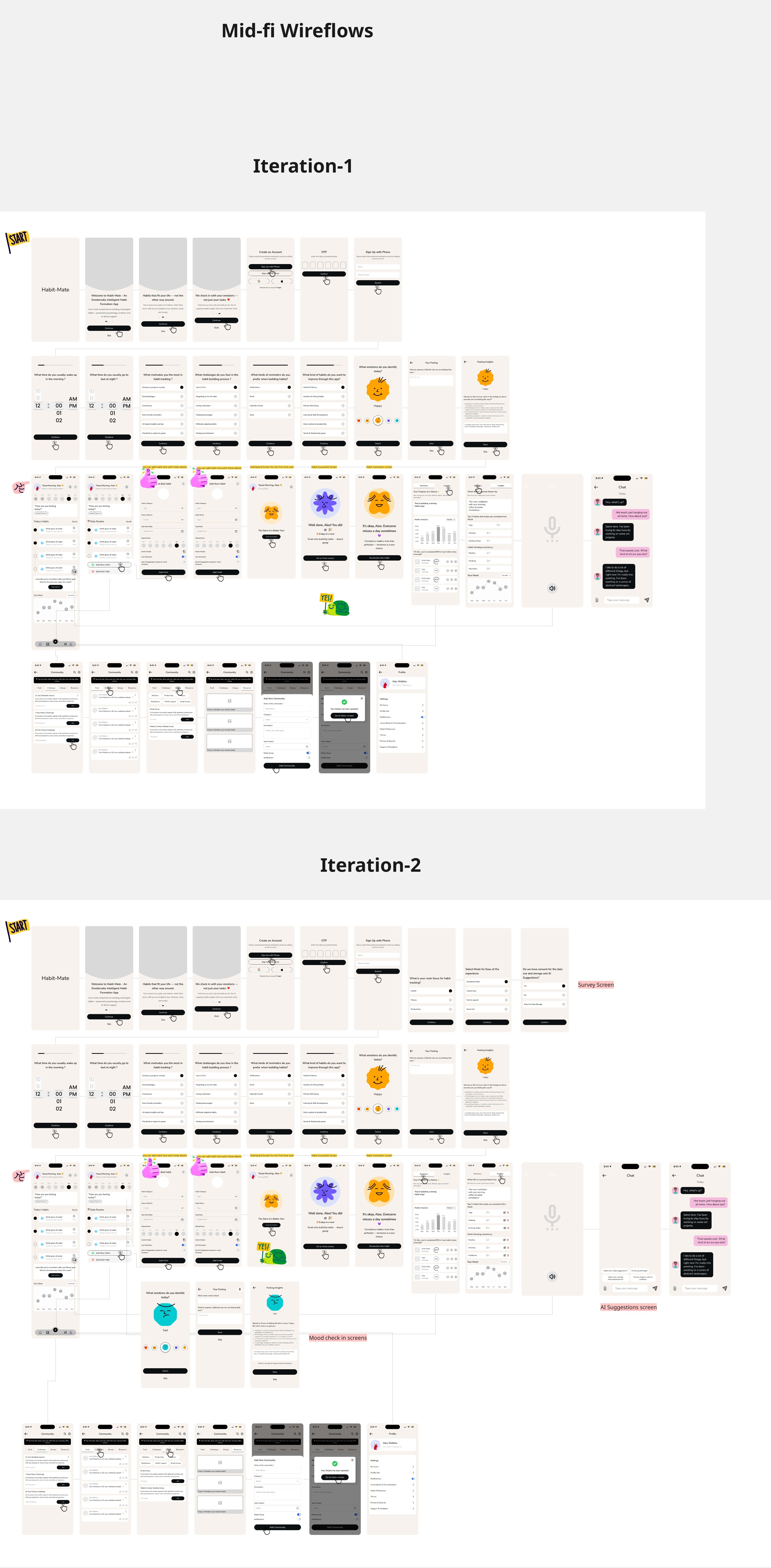
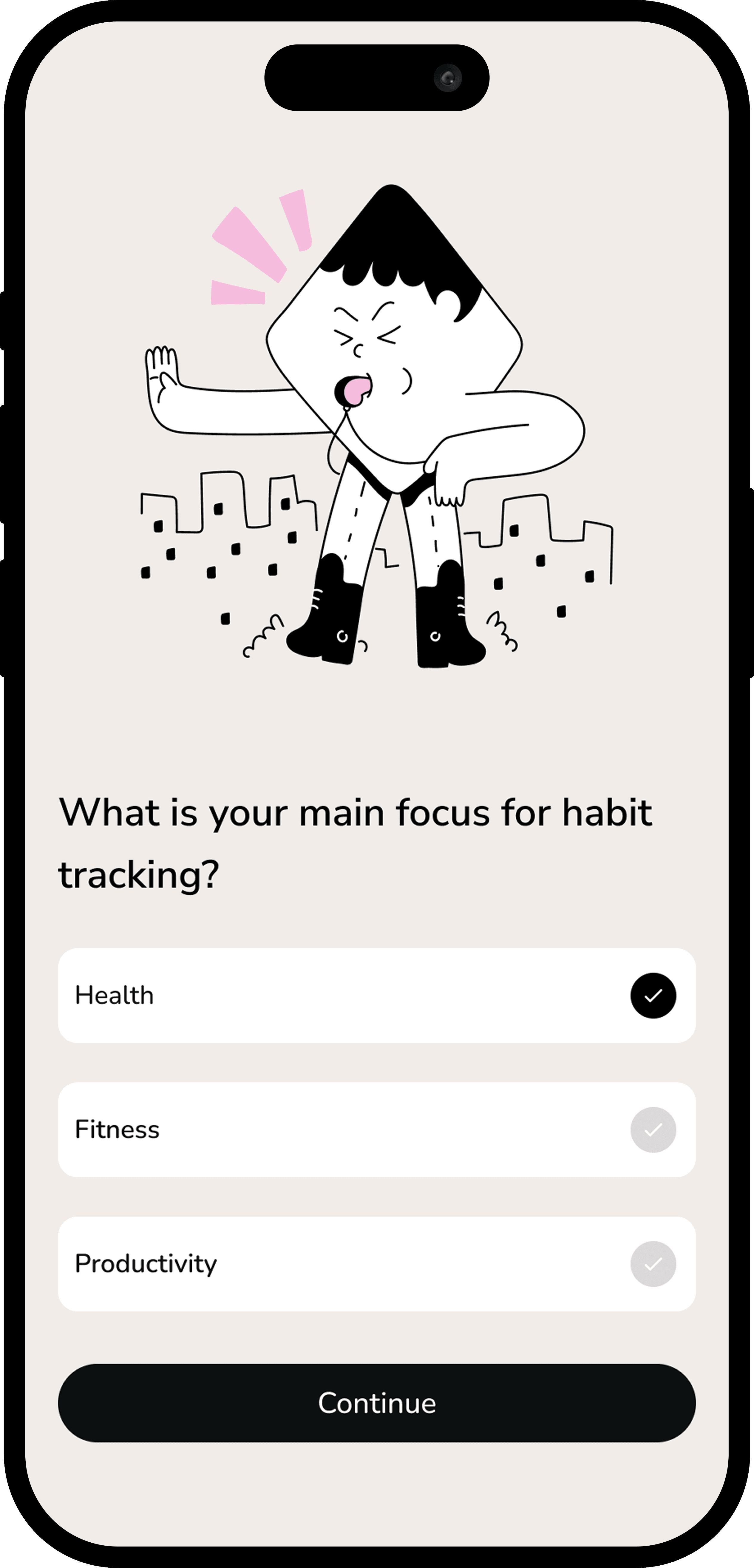
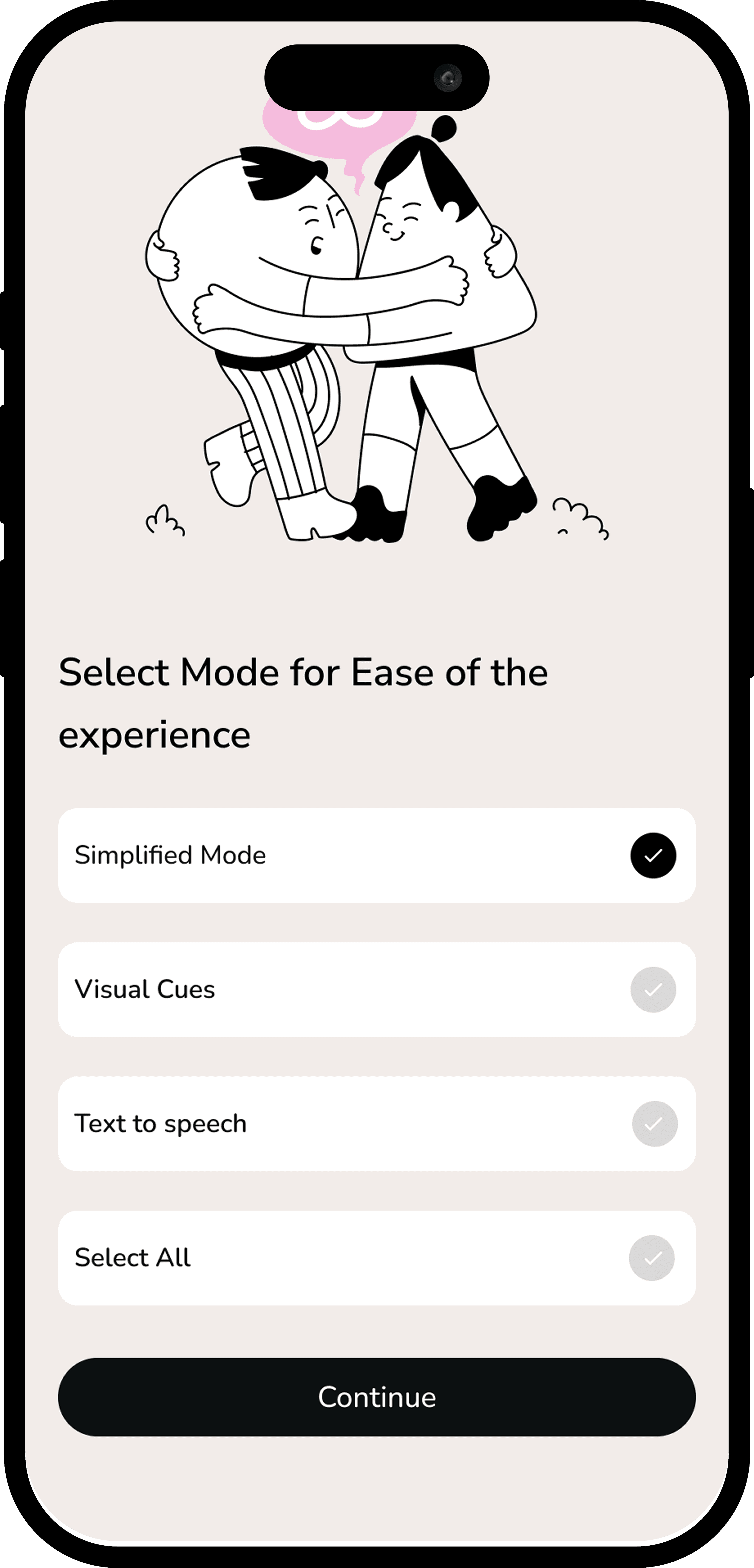
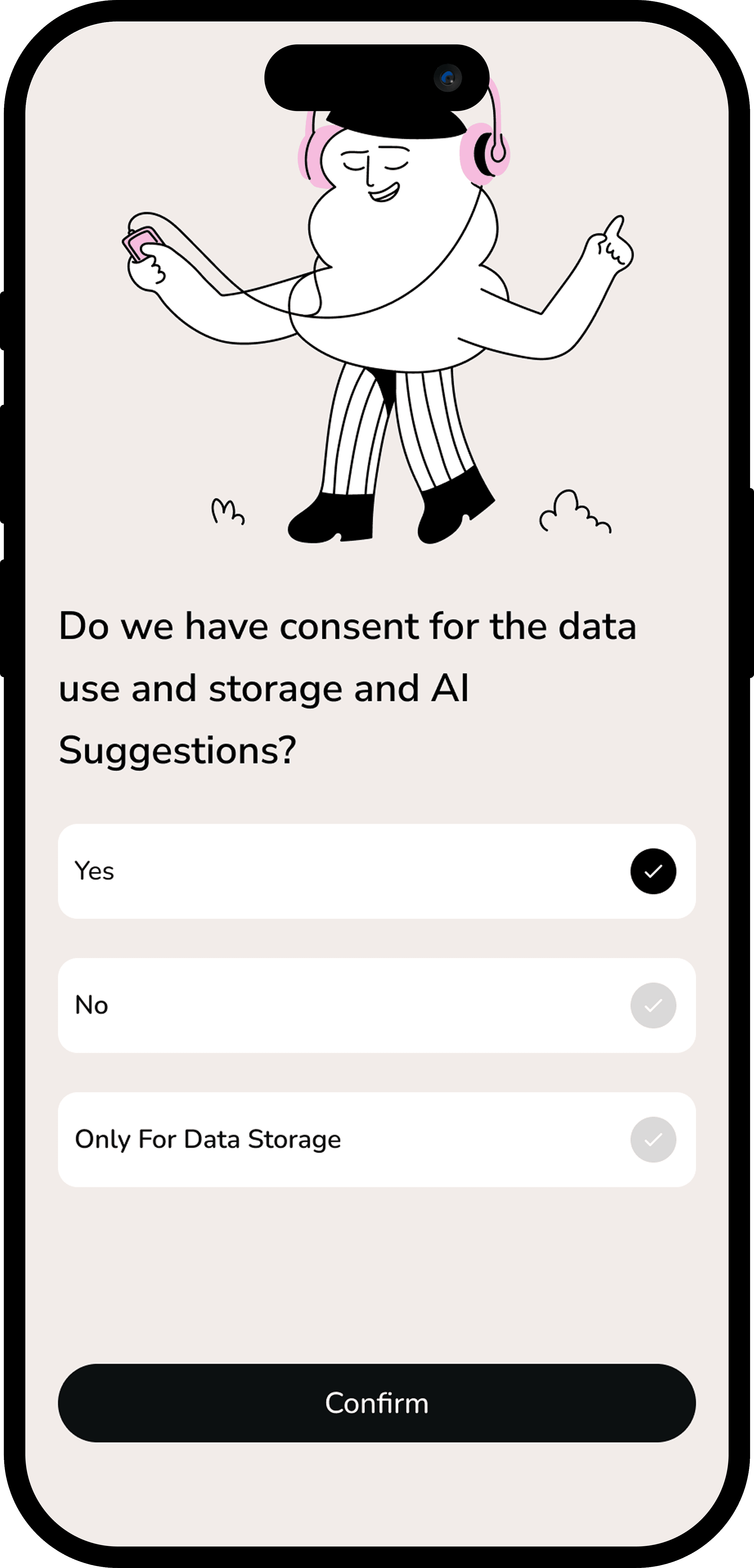
Design Exploration & Iteration 1 &2
Design Exploration & Iteration 1 &2

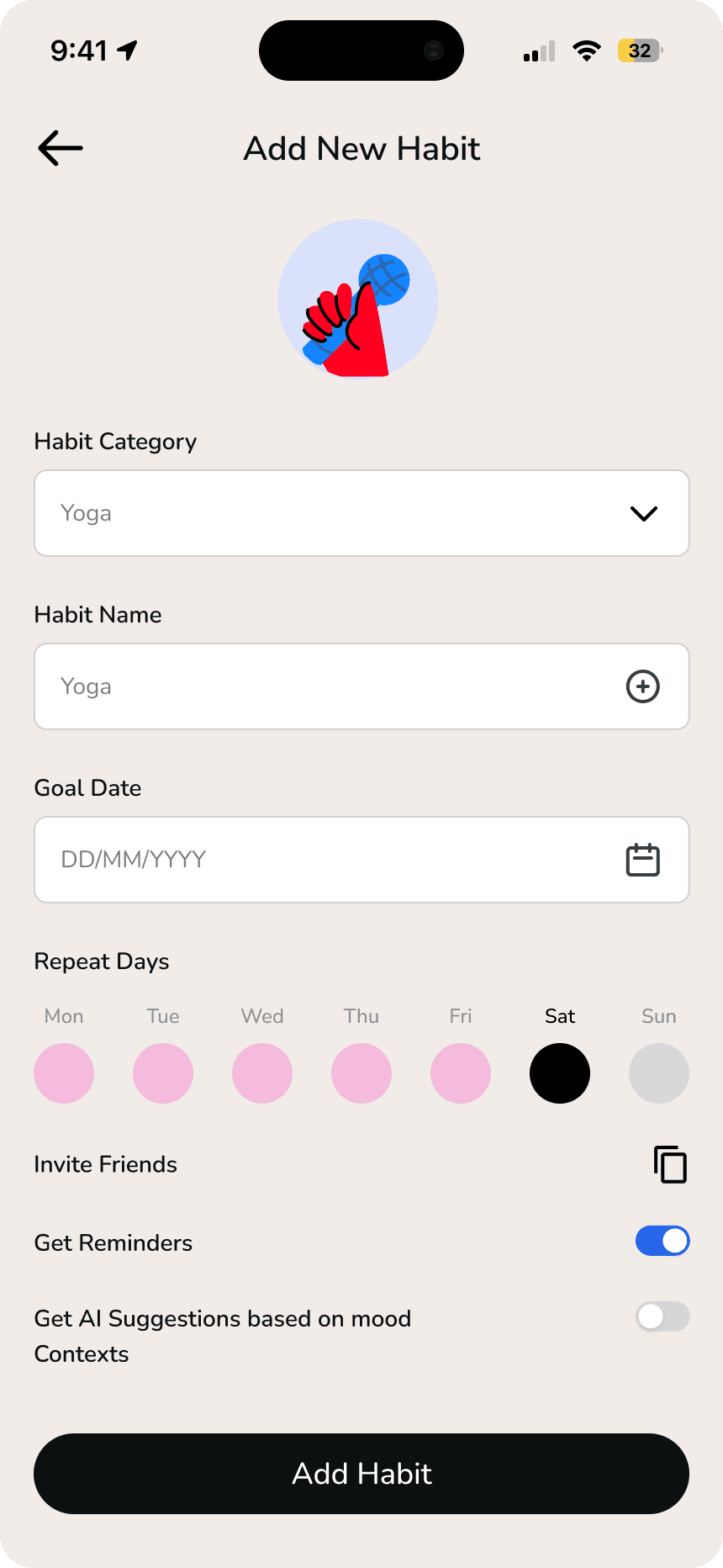
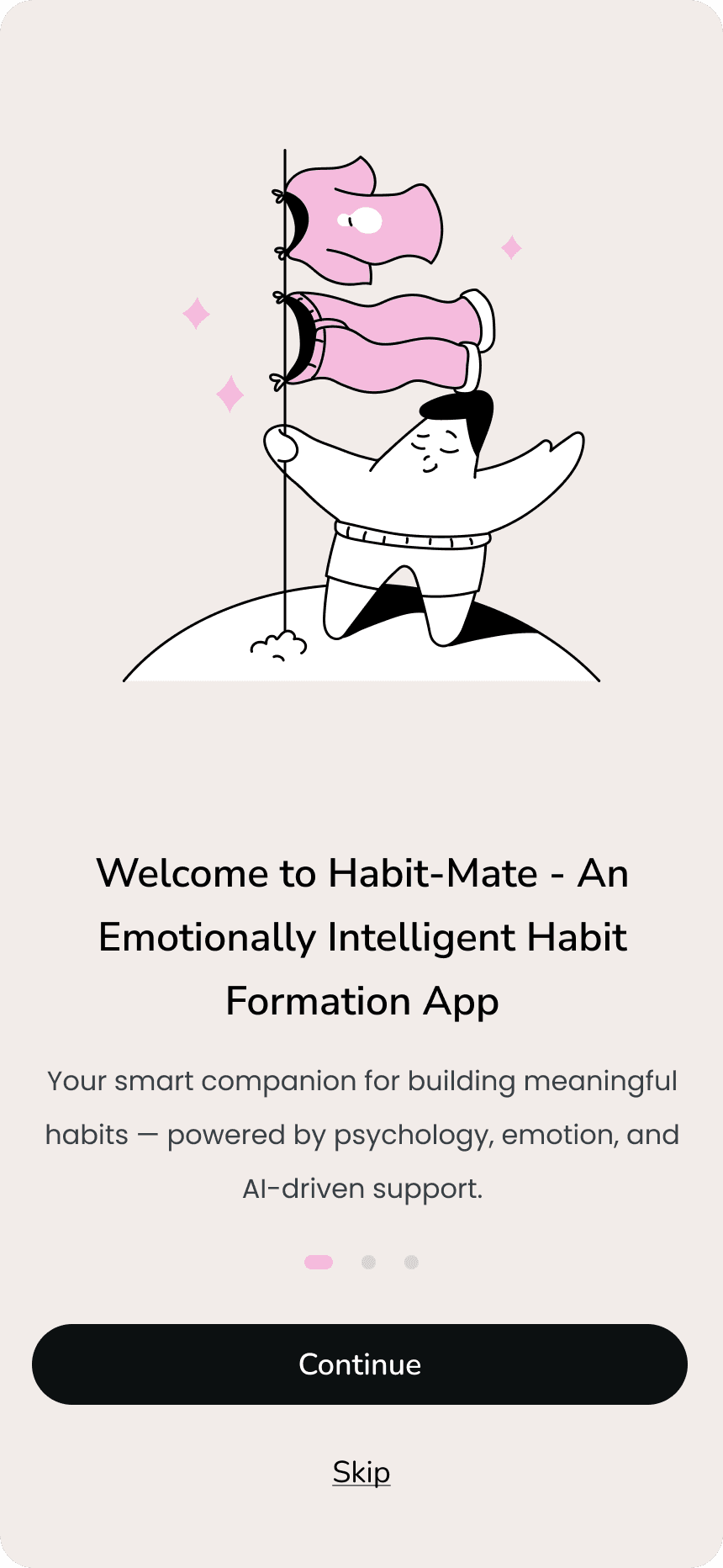
Final UI ( Main Screens )
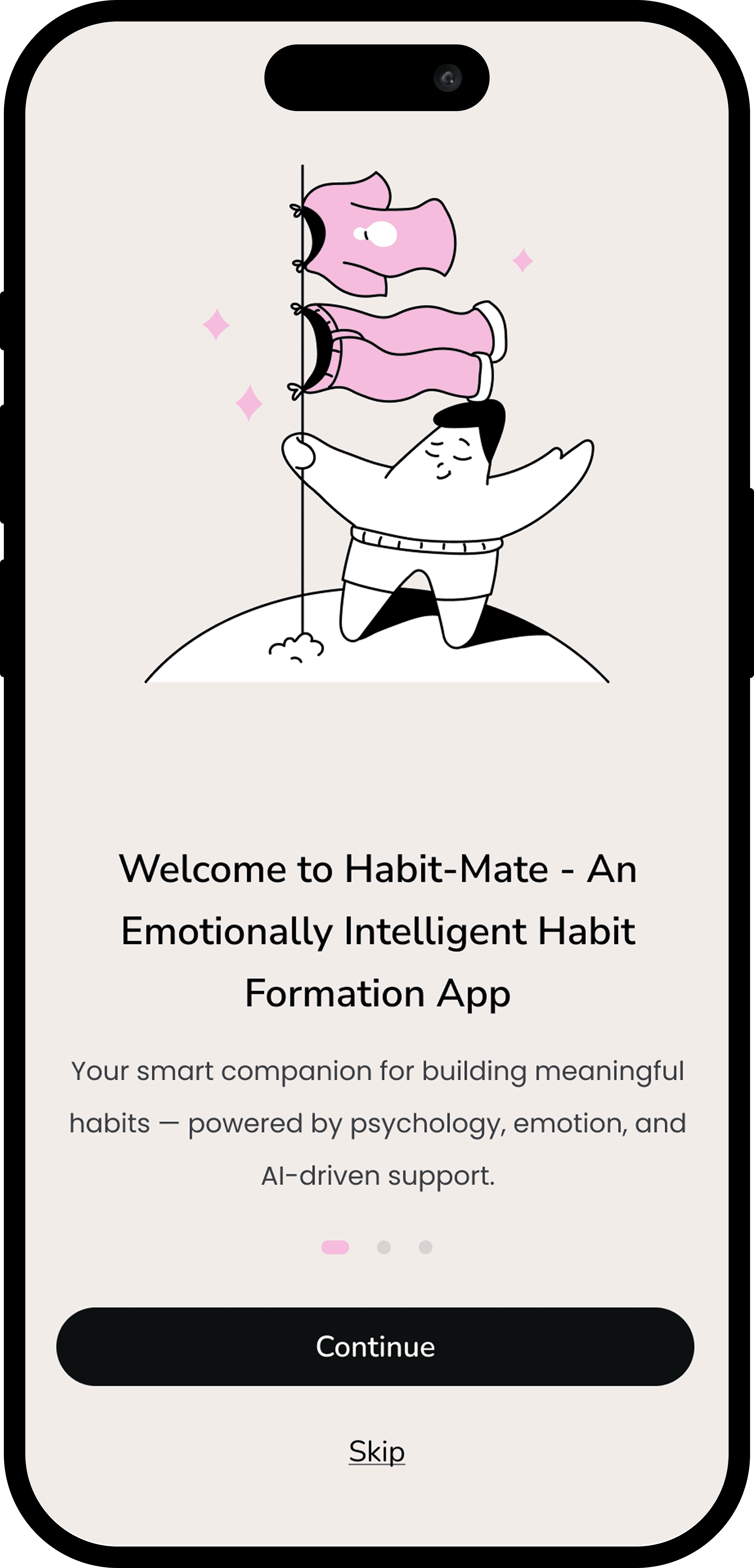
Final UI ( Main Screens )
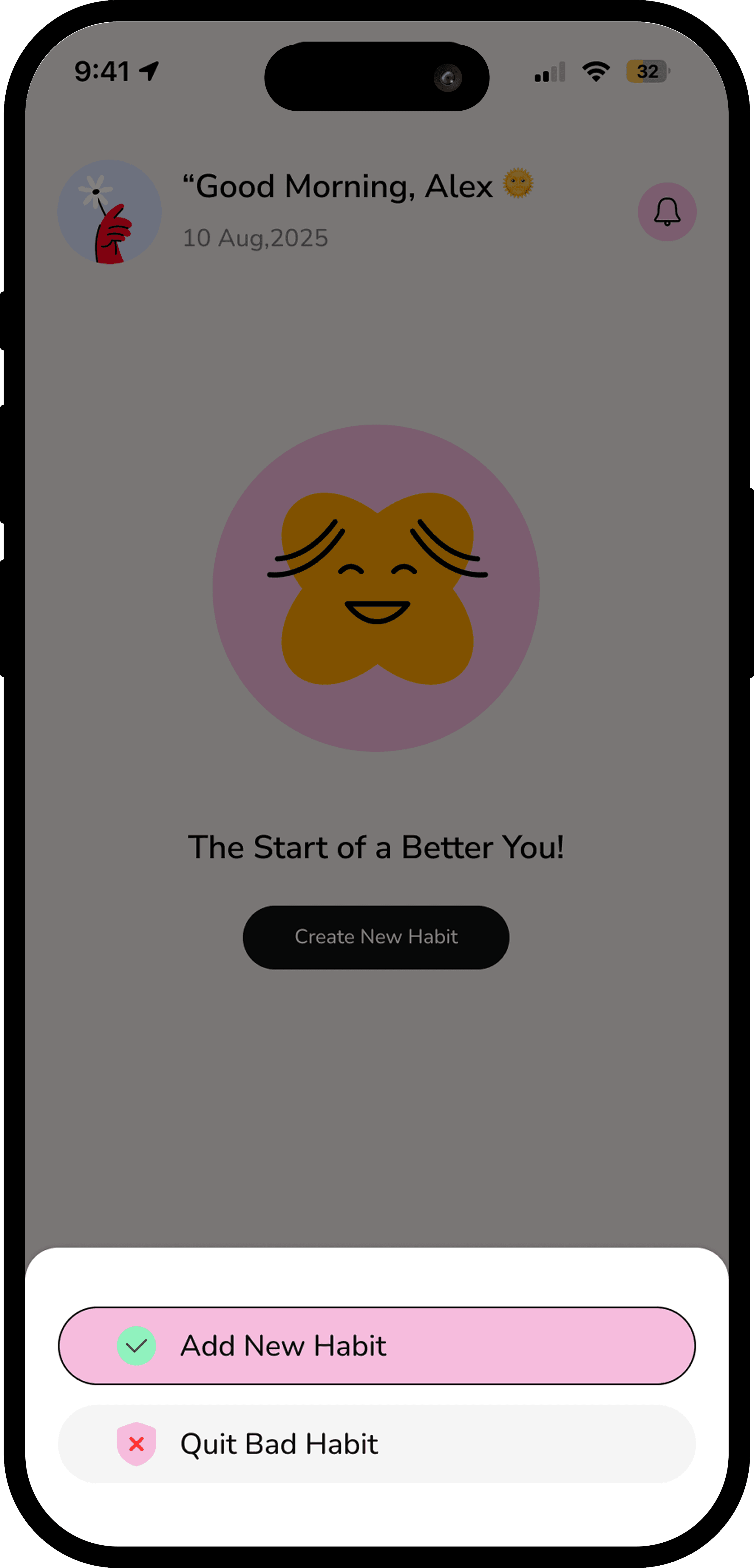
Final UI ( Main Screens )
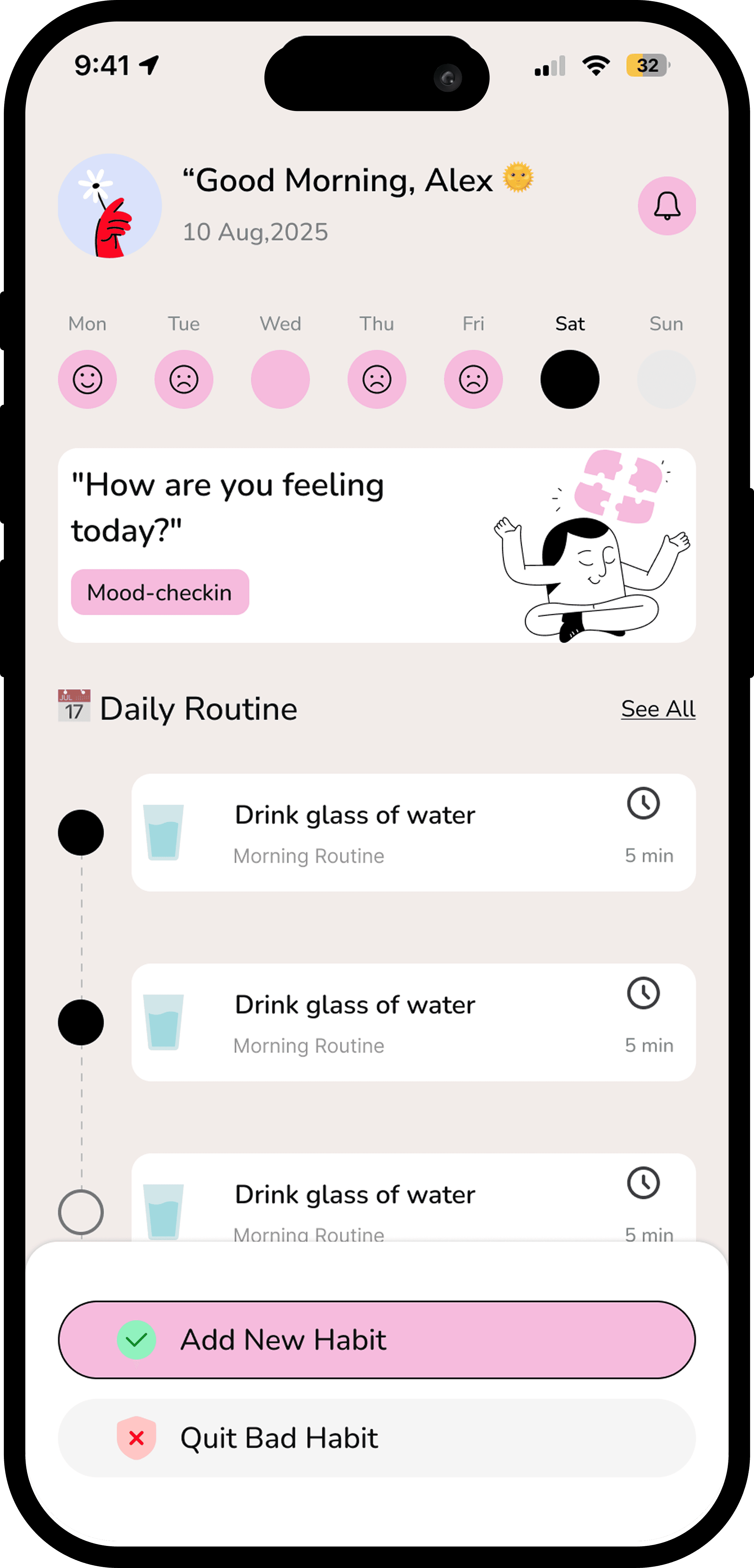
Usability Testing ( Valence Testing )

Usability Testing ( Valence Testing )

I conducted usability testing with 2 participants using a task-based evaluation focused on habit setup, progress tracking, and recovery after missed days.

Task success rate reached 90%, with participants consistently understanding the tiny habit concept and responding positively to compassionate language. However, testing revealed friction around restarting habits after breaks.

Based on feedback, I implemented:

  1. A flexible “gentle restart” flow instead of streak resets .

  2. Simplified habit setup steps

  3. Increased visibility of micro-rewards to reinforce progress

These changes reduced cognitive load and aligned the experience with users’ emotional expectations during low-motivation moments.
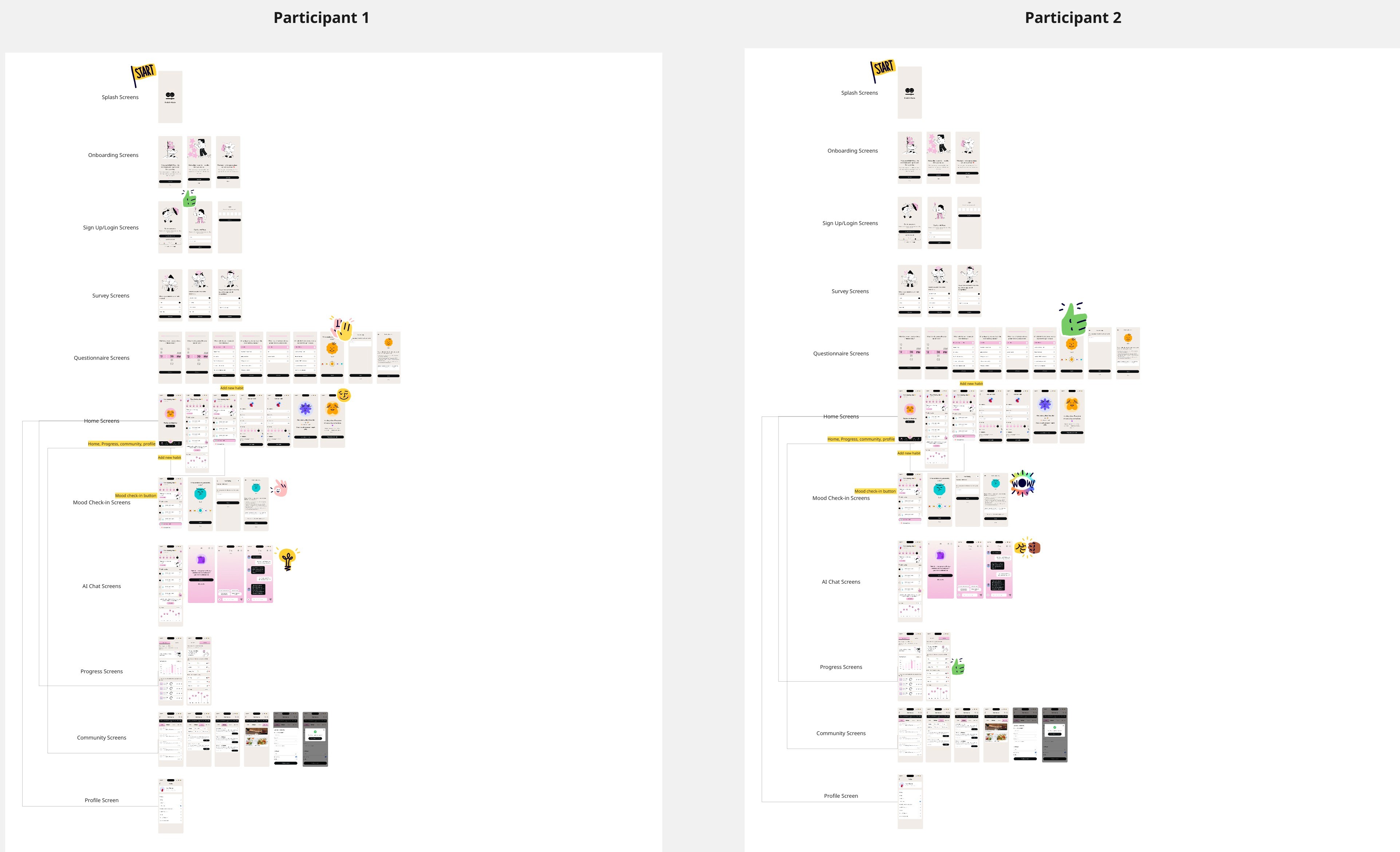
I conducted usability testing with 2 participants using a task-based evaluation focused on habit setup, progress tracking, and recovery after missed days.

Task success rate reached 90%, with participants consistently understanding the tiny habit concept and responding positively to compassionate language. However, testing revealed friction around restarting habits after breaks.

Based on feedback, I implemented:

  1. A flexible “gentle restart” flow instead of streak resets .

  2. Simplified habit setup steps

  3. Increased visibility of micro-rewards to reinforce progress

These changes reduced cognitive load and aligned the experience with users’ emotional expectations during low-motivation moments.

Expected Impact

Expected Impact

As this was a concept project, impact was defined through research-backed hypotheses grounded in behavioral science and usability findings. Success was measured against habit consistency, early drop-off, and emotional engagement.

Based on user research, testing feedback, and established behavioral models, the design is expected to:

  1. Increase habit completion by 30–40% through tiny-habit design that lowers activation energy Reduce early user drop-off by ~20% by replacing streak-based punishment with flexible recovery flows

  2. Improve emotional engagement and perceived support, with users describing the experience as “a companion rather than a tracker”

  3. Increase overall user satisfaction, particularly for users affected by stress, anxiety, or neurodivergence

These projections informed design validation and would serve as baseline metrics for future product iteration and A/B testing.

As this was a concept project, impact was defined through research-backed hypotheses grounded in behavioral science and usability findings. Success was measured against habit consistency, early drop-off, and emotional engagement.

Based on user research, testing feedback, and established behavioral models, the design is expected to:

  1. Increase habit completion by 30–40% through tiny-habit design that lowers activation energy Reduce early user drop-off by ~20% by replacing streak-based punishment with flexible recovery flows

  2. Improve emotional engagement and perceived support, with users describing the experience as “a companion rather than a tracker”

  3. Increase overall user satisfaction, particularly for users affected by stress, anxiety, or neurodivergence

These projections informed design validation and would serve as baseline metrics for future product iteration and A/B testing.

Reflections & Learnings

Reflections & Learnings

This project reinforced my belief that interaction design plays a critical role in shaping emotional outcomes, not just usability. Designing with behavioral psychology helped me move beyond surface-level engagement metrics and focus on long-term habit sustainability.

Leading a team of 7 designers strengthened my ability to facilitate discussions, align on design principles, and make informed decisions under ambiguity. I learned the importance of balancing collaboration with clear ownership to maintain design direction.

One key insight was that compassionate UX writing and recovery-focused interactions consistently outperformed gamified pressure systems in both usability testing and qualitative feedback.

If I were to iterate further, I would explore:

  1. AI-driven habit pattern detection to adapt nudges more precisely to user behavior

  2. Voice-based encouragement to improve accessibility and support users during low-energy moments

Overall, Habit-Mate helped me grow as a product-focused UX designer, strengthening my ability to design emotionally intelligent systems at scale.

This project reinforced my belief that interaction design plays a critical role in shaping emotional outcomes, not just usability. Designing with behavioral psychology helped me move beyond surface-level engagement metrics and focus on long-term habit sustainability.

Leading a team of 7 designers strengthened my ability to facilitate discussions, align on design principles, and make informed decisions under ambiguity. I learned the importance of balancing collaboration with clear ownership to maintain design direction.

One key insight was that compassionate UX writing and recovery-focused interactions consistently outperformed gamified pressure systems in both usability testing and qualitative feedback.

If I were to iterate further, I would explore:

  1. AI-driven habit pattern detection to adapt nudges more precisely to user behavior

  2. Voice-based encouragement to improve accessibility and support users during low-energy moments

Overall, Habit-Mate helped me grow as a product-focused UX designer, strengthening my ability to design emotionally intelligent systems at scale.

🌟 LiveSign+: Making Instagram Live Accessible for Deaf, Hard-of-Hearing, and Blind Users

🌟 LiveSign+: Making Instagram Live Accessible for Deaf, Hard-of-Hearing, and Blind Users

🌟 LiveSign+: Making Instagram Live Accessible for Deaf, Hard-of-Hearing, and Blind Users

My Role

My Role

My Role

Role: Lead UX Designer

Timeline: 6 weeks

Project Type: Independent accessibility-focused design exploration

I led the end-to-end UX and interaction design for LiveSign+, from problem framing and research to prototyping and usability testing. While the design execution was solo, I conducted weekly review sessions with accessibility advocates and incorporated direct feedback from two users with hearing impairments to validate design decisions.

Tools & Methods: Figma, Miro, Notion, accessibility heuristics, user interviews, task analysis, interaction design, prototyping, and usability testing.

Role: Lead UX Designer

Timeline: 6 weeks

Project Type: Independent accessibility-focused design exploration

I led the end-to-end UX and interaction design for LiveSign+, from problem framing and research to prototyping and usability testing. While the design execution was solo, I conducted weekly review sessions with accessibility advocates and incorporated direct feedback from two users with hearing impairments to validate design decisions.

Tools & Methods: Figma, Miro, Notion, accessibility heuristics, user interviews, task analysis, interaction design, prototyping, and usability testing.

Overview

Overview

Overview

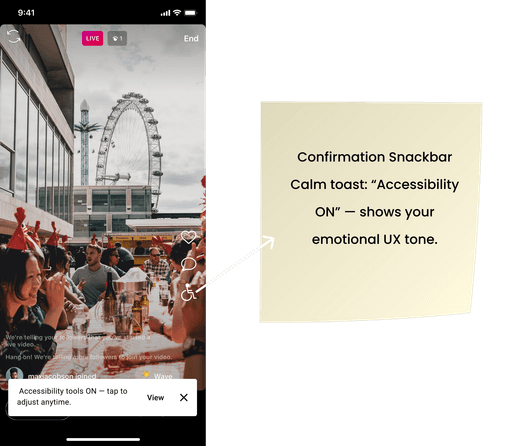
LiveSign+ is an accessibility-first interaction design concept for Instagram Live, focused on making real-time live streams inclusive for users with hearing and visual impairments.


As live streaming becomes a primary mode of communication and community-building, accessibility has not evolved at the same pace. LiveSign+ was designed to address this gap by introducing real-time captions, sign-language overlays, and visual sound cues in a way that integrates seamlessly into the live-streaming experience.


The goal was to enable equal participation in live content without disrupting creator expression, viewer engagement, or the fast-paced nature of live interactions.

LiveSign+ is an accessibility-first interaction design concept for Instagram Live, focused on making real-time live streams inclusive for users with hearing and visual impairments.


As live streaming becomes a primary mode of communication and community-building, accessibility has not evolved at the same pace. LiveSign+ was designed to address this gap by introducing real-time captions, sign-language overlays, and visual sound cues in a way that integrates seamlessly into the live-streaming experience.


The goal was to enable equal participation in live content without disrupting creator expression, viewer engagement, or the fast-paced nature of live interactions.

Impact

Impact

Impact

Designed accessibility-first features that could empower 450M+ Deaf, hard-of-hearing, and visually impaired users worldwide (WHO data)

Designed accessibility-first features that could empower 450M+ Deaf, hard-of-hearing, and visually impaired users worldwide (WHO data)

Demonstrated how inclusive design creates new engagement opportunities for social platforms.

Demonstrated how inclusive design creates new engagement opportunities for social platforms.

Problem Statement

Problem Statement

Problem Statement

"Instagram Live is designed for engagement, but not everyone can participate equally."

"Instagram Live is designed for engagement, but not everyone can participate equally."

"Instagram Live is designed for engagement, but not everyone can participate equally."

Instagram Live enables real-time connection, but for users with hearing or visual impairments, the experience often breaks down during critical moments of interaction. Live streams rely heavily on spoken audio, uncaptioned dialogue, and visual-only cues, making it difficult or impossible for many users to fully understand or participate.


User research revealed that accessibility barriers are not occasional edge cases, but recurring breakdowns:

  1. Live content lacks real-time captions, excluding deaf and hard-of-hearing users.

  2. There is no sign-language support for creators or viewers who rely on it. Sound-based actions (applause, reactions, alerts) have no visual equivalents.

  3. Creators often assume visual or auditory context without realizing the exclusion this creates.


As a result, users either disengage from live streams entirely or rely on incomplete interpretations of what’s happening, leading to frustration, exclusion, and loss of community participation.

Instagram Live enables real-time connection, but for users with hearing or visual impairments, the experience often breaks down during critical moments of interaction. Live streams rely heavily on spoken audio, uncaptioned dialogue, and visual-only cues, making it difficult or impossible for many users to fully understand or participate.


User research revealed that accessibility barriers are not occasional edge cases, but recurring breakdowns:

  1. Live content lacks real-time captions, excluding deaf and hard-of-hearing users.

  2. There is no sign-language support for creators or viewers who rely on it. Sound-based actions (applause, reactions, alerts) have no visual equivalents.

  3. Creators often assume visual or auditory context without realizing the exclusion this creates.


As a result, users either disengage from live streams entirely or rely on incomplete interpretations of what’s happening, leading to frustration, exclusion, and loss of community participation.

Why this probelm matters??

Why this probelm matters??

Why this probelm matters??

According to the World Health Organization, nearly 20% of the global population lives with some form of hearing or vision loss. For platforms built around real-time interaction, failing to support accessibility means excluding a significant portion of the audience from participation, expression, and community.

From a design perspective, accessibility in live experiences is especially critical because users cannot “catch up” later — missed moments are lost entirely. LiveSign+ reframes accessibility not as an add-on, but as a core interaction requirement for equitable digital participation at scale.

According to the World Health Organization, nearly 20% of the global population lives with some form of hearing or vision loss. For platforms built around real-time interaction, failing to support accessibility means excluding a significant portion of the audience from participation, expression, and community.

From a design perspective, accessibility in live experiences is especially critical because users cannot “catch up” later — missed moments are lost entirely. LiveSign+ reframes accessibility not as an add-on, but as a core interaction requirement for equitable digital participation at scale.

Research

Research

Research

The goal of research was to identify where live-streaming interactions break down for users with hearing and visual impairments, and how existing accessibility features fail during real-time participation.

Because live content cannot be replayed or interpreted later in the moment, I focused research on real-time comprehension, emotional inclusion, and interaction speed, rather than post-event accessibility.

The goal of research was to identify where live-streaming interactions break down for users with hearing and visual impairments, and how existing accessibility features fail during real-time participation.

Because live content cannot be replayed or interpreted later in the moment, I focused research on real-time comprehension, emotional inclusion, and interaction speed, rather than post-event accessibility.

I conducted interviews with 8 users, including Deaf, hard-of-hearing, and visually impaired participants, to understand how they experience Instagram Live today.

Key insights revealed that:

  1. 8/8 users preferred real-time captions over post-event summaries, emphasizing the importance of live comprehension.

  2. 6/8 users relied on visual cues (icons, animations) to interpret audio-based reactions such as applause or laughter.

  3. 7/8 users felt excluded from “community moments,” where emotional context was shared verbally or visually without accessibility support.

  4. 5/8 users expressed the need to control caption speed, size, and placement to match their processing pace.

These findings highlighted that accessibility gaps were not only functional, but emotionally isolating during moments of shared participation.

I conducted interviews with 8 users, including Deaf, hard-of-hearing, and visually impaired participants, to understand how they experience Instagram Live today.

Key insights revealed that:

  1. 8/8 users preferred real-time captions over post-event summaries, emphasizing the importance of live comprehension.

  2. 6/8 users relied on visual cues (icons, animations) to interpret audio-based reactions such as applause or laughter.

  3. 7/8 users felt excluded from “community moments,” where emotional context was shared verbally or visually without accessibility support.

  4. 5/8 users expressed the need to control caption speed, size, and placement to match their processing pace.

These findings highlighted that accessibility gaps were not only functional, but emotionally isolating during moments of shared participation.

Accessibility Heuristic Evaluation

Accessibility Heuristic Evaluation

To evaluate systemic accessibility gaps, I conducted an accessibility heuristic review of Instagram Live using WCAG guidelines, focusing on live communication standards. Key violations included:

  1. WCAG 1.2.4: No real-time captions available

  2. WCAG 1.2.6: No support for sign-language interpretation

  3. WCAG 1.4.3: Inconsistent contrast in live UI elements

  4. Missing user control over live audio and visual accessibility features

This evaluation confirmed that accessibility limitations were not edge cases, but structural gaps in how live interactions are designed.

To evaluate systemic accessibility gaps, I conducted an accessibility heuristic review of Instagram Live using WCAG guidelines, focusing on live communication standards. Key violations included:

  1. WCAG 1.2.4: No real-time captions available

  2. WCAG 1.2.6: No support for sign-language interpretation

  3. WCAG 1.4.3: Inconsistent contrast in live UI elements

  4. Missing user control over live audio and visual accessibility features

This evaluation confirmed that accessibility limitations were not edge cases, but structural gaps in how live interactions are designed.

Competitive Benchmarking

Competitive Benchmarking

Competitive benchmarking across YouTube Live, TikTok Live showed that accessibility support remains limited across platforms.

While YouTube Live offers basic auto-captions, none of the platforms provide integrated sign-language overlays or comprehensive visual audio cues. This revealed an industry-wide gap — accessibility in live streaming is often reactive rather than intentionally designed.

Competitive benchmarking across YouTube Live, TikTok Live showed that accessibility support remains limited across platforms.

While YouTube Live offers basic auto-captions, none of the platforms provide integrated sign-language overlays or comprehensive visual audio cues. This revealed an industry-wide gap — accessibility in live streaming is often reactive rather than intentionally designed.

User Insights

User Insights

User Insights

“I can’t follow live discussions because captions are too fast.” — Hard-of-hearing user

“I can’t follow live discussions because captions are too fast.” — Hard-of-hearing user

“I can’t follow live discussions because captions are too fast.” — Hard-of-hearing user

“I wish I could use VoiceOver to navigate quickly during lives.” — Blind user

“I wish I could use VoiceOver to navigate quickly during lives.” — Blind user

“I wish I could use VoiceOver to navigate quickly during lives.” — Blind user

Key stats

Key stats

Key stats

To validate the scale and urgency of accessibility gaps in live streaming, I triangulated findings across secondary research, competitive benchmarking, and qualitative user feedback:

  1. WHO and W3C accessibility standards highlight live captions, sign-language interpretation, and user control as critical requirements for inclusive real-time communication.

  2. Competitive analysis across YouTube Live and Twitch revealed limited accessibility support beyond basic auto-captions.

  3. Direct user feedback reinforced real-world impact:

“I can’t follow live discussions because captions are too fast.” — Hard-of-hearing user

“I wish I could use VoiceOver to navigate quickly during lives.” — Blind user

These signals confirmed that accessibility gaps in live streaming are systemic rather than isolated, and directly affect comprehension, participation, and emotional inclusion.

To validate the scale and urgency of accessibility gaps in live streaming, I triangulated findings across secondary research, competitive benchmarking, and qualitative user feedback:

  1. WHO and W3C accessibility standards highlight live captions, sign-language interpretation, and user control as critical requirements for inclusive real-time communication.

  2. Competitive analysis across YouTube Live and Twitch revealed limited accessibility support beyond basic auto-captions.

  3. Direct user feedback reinforced real-world impact:

“I can’t follow live discussions because captions are too fast.” — Hard-of-hearing user

“I wish I could use VoiceOver to navigate quickly during lives.” — Blind user

These signals confirmed that accessibility gaps in live streaming are systemic rather than isolated, and directly affect comprehension, participation, and emotional inclusion.

Pain Points

Pain Points

Pain Points

Research surfaced five critical accessibility pain points:

  1. No sign-language support: Deaf users cannot fully participate in live conversations.

  2. Lack of audio descriptions: Blind users miss visual context such as gestures, reactions, or shared media.

  3. Inconsistent captions: Auto-generated captions struggle with speed, slang, and multiple speakers.

  4. Exclusion from real-time interactions: Q&As, polls, and chats are not optimized for accessibility.

  5. High cognitive and emotional load: Accessibility gaps create frustration and dependency rather than independence.

These issues compound during live moments, where users cannot pause or replay content.

Research surfaced five critical accessibility pain points:

  1. No sign-language support: Deaf users cannot fully participate in live conversations.

  2. Lack of audio descriptions: Blind users miss visual context such as gestures, reactions, or shared media.

  3. Inconsistent captions: Auto-generated captions struggle with speed, slang, and multiple speakers.

  4. Exclusion from real-time interactions: Q&As, polls, and chats are not optimized for accessibility.

  5. High cognitive and emotional load: Accessibility gaps create frustration and dependency rather than independence.

These issues compound during live moments, where users cannot pause or replay content.

Insights

Insights

Insights

  1. Synthesizing research revealed that accessibility in live experiences must be adaptive, customizable, and emotionally supportive.

  2. Users gained confidence when feedback was clear and immediate, and trust increased when platforms acknowledged accessibility as a core interaction need rather than an optional feature.

  1. Synthesizing research revealed that accessibility in live experiences must be adaptive, customizable, and emotionally supportive.

  2. Users gained confidence when feedback was clear and immediate, and trust increased when platforms acknowledged accessibility as a core interaction need rather than an optional feature.

Design Goals

Design Goals

Based on research, the following design goals were defined:

  1. Enable real-time communication for Deaf and hard-of-hearing users through accurate captions and sign-language overlays.

  2. Reduce cognitive load for visually impaired users using intuitive visual cues and assistive feedback.

  3. Provide creators with flexibility and control, making accessibility a built-in part of the live experience.

  4. Preserve Instagram’s existing workflows, ensuring accessibility enhancements do not disrupt core interaction patterns.

Based on research, the following design goals were defined:

  1. Enable real-time communication for Deaf and hard-of-hearing users through accurate captions and sign-language overlays.

  2. Reduce cognitive load for visually impaired users using intuitive visual cues and assistive feedback.

  3. Provide creators with flexibility and control, making accessibility a built-in part of the live experience.

  4. Preserve Instagram’s existing workflows, ensuring accessibility enhancements do not disrupt core interaction patterns.

Design Exploration & Iterations

Design Exploration & Iterations

Version 1

  1. Captions covered the bottom chat UI

  2. Interpreter bubble too small

  3. Visual cues unclear

Version 1

  1. Captions covered the bottom chat UI

  2. Interpreter bubble too small

  3. Visual cues unclear

Iteration-1

Iteration-1

Iteration-1

Added auto-captions → Users said “too fast, can’t pause.”

Added auto-captions → Users said “too fast, can’t pause.”

Added auto-captions → Users said “too fast, can’t pause.”

Iteration-2

Iteration-2

Iteration-2

  1. Introduced Sign Interpreter PiP overlay + Audio Description toggle.

  2. Added custom controls: pause/resume captions, pinch to resize interpreter window.

  3. Introduced auto-adjust captions (noise filtering)

  4. Added haptic feedback for key audio cues

  5. Added “creator guideline prompts”

  1. Introduced Sign Interpreter PiP overlay + Audio Description toggle.

  2. Added custom controls: pause/resume captions, pinch to resize interpreter window.

  3. Introduced auto-adjust captions (noise filtering)

  4. Added haptic feedback for key audio cues

  5. Added “creator guideline prompts”

  1. Introduced Sign Interpreter PiP overlay + Audio Description toggle.

  2. Added custom controls: pause/resume captions, pinch to resize interpreter window.

  3. Introduced auto-adjust captions (noise filtering)

  4. Added haptic feedback for key audio cues

  5. Added “creator guideline prompts”

  1. Introduced Sign Interpreter PiP overlay + Audio Description toggle.

  2. Added custom controls: pause/resume captions, pinch to resize interpreter window.

  3. Introduced auto-adjust captions (noise filtering)

  4. Added haptic feedback for key audio cues

  5. Added “creator guideline prompts”

Usability Testing

Usability Testing

Usability Testing

Usability testing was conducted with 2 participants, focusing on critical accessibility tasks such as enabling captions, repositioning interpreter overlays, adjusting contrast, and interpreting visual cues.

Task success rate reached 92%, with participants responding positively to visual audio cues and caption clarity.

Feedback led to the following improvements:

  1. Added outlines to caption text for better readability

  2. Introduced intensity levels for visual cues

  3. Enabled adjustable opacity for the interpreter overlay

These iterations improved both usability and user comfort during extended live sessions.

Usability testing was conducted with 2 participants, focusing on critical accessibility tasks such as enabling captions, repositioning interpreter overlays, adjusting contrast, and interpreting visual cues.

Task success rate reached 92%, with participants responding positively to visual audio cues and caption clarity.

Feedback led to the following improvements:

  1. Added outlines to caption text for better readability

  2. Introduced intensity levels for visual cues

  3. Enabled adjustable opacity for the interpreter overlay

These iterations improved both usability and user comfort during extended live sessions.

Expected Impact (Hypothesis-Based)

Expected Impact (Hypothesis-Based)

Expected Impact (Hypothesis-Based)

As LiveSign+ is a concept project, impact was defined using WCAG accessibility standards, usability testing outcomes, and industry research on accessible live media. These metrics represent validated hypotheses that would be tested further in production.


The design is expected to:

  1. Increase real-time comprehension by ~60% for deaf and hard-of-hearing users through accurate captions and sign-language overlays

  2. Reduce missed information moments by ~40% using visual cues for sound-based interactions Increase engagement time by ~30% when accessibility tools are enabled, based on reduced cognitive effort

  3. Improve creator adoption by offering accessibility features as simple, non-disruptive toggles within existing workflows


These outcomes position accessibility not as an add-on, but as a driver of engagement, trust, and participation in live-streaming experiences.

As LiveSign+ is a concept project, impact was defined using WCAG accessibility standards, usability testing outcomes, and industry research on accessible live media. These metrics represent validated hypotheses that would be tested further in production.


The design is expected to:

  1. Increase real-time comprehension by ~60% for deaf and hard-of-hearing users through accurate captions and sign-language overlays

  2. Reduce missed information moments by ~40% using visual cues for sound-based interactions Increase engagement time by ~30% when accessibility tools are enabled, based on reduced cognitive effort

  3. Improve creator adoption by offering accessibility features as simple, non-disruptive toggles within existing workflows


These outcomes position accessibility not as an add-on, but as a driver of engagement, trust, and participation in live-streaming experiences.

Reflection & Key Learnings

Reflection & Key Learnings

Reflection & Key Learnings

This project reinforced that accessibility is not a feature to be added at the end, but a design mindset that must shape interaction decisions from the start. Designing for real-time experiences required careful tradeoffs between speed, clarity, and cognitive load — especially in moments where multiple signals (audio, chat, reactions) compete for attention.


Working closely with hearing-impaired users surfaced insights that no guideline or textbook could replace. Small decisions — such as caption placement, interpreter opacity, or cue intensity — had a significant impact on comfort and comprehension during live sessions. This shifted my approach from designing for “compliance” to designing for confidence and dignity.


A key takeaway was the importance of customization and user control in accessibility design. No single solution worked for everyone, reinforcing the need for flexible systems rather than rigid defaults.


In future iterations, I would explore ML-based gesture detection for richer visual cues, AI-assisted live summarization for users who join streams late, and creator-level accessibility analytics to help creators understand how inclusive design impacts engagement.

This project reinforced that accessibility is not a feature to be added at the end, but a design mindset that must shape interaction decisions from the start. Designing for real-time experiences required careful tradeoffs between speed, clarity, and cognitive load — especially in moments where multiple signals (audio, chat, reactions) compete for attention.


Working closely with hearing-impaired users surfaced insights that no guideline or textbook could replace. Small decisions — such as caption placement, interpreter opacity, or cue intensity — had a significant impact on comfort and comprehension during live sessions. This shifted my approach from designing for “compliance” to designing for confidence and dignity.


A key takeaway was the importance of customization and user control in accessibility design. No single solution worked for everyone, reinforcing the need for flexible systems rather than rigid defaults.


In future iterations, I would explore ML-based gesture detection for richer visual cues, AI-assisted live summarization for users who join streams late, and creator-level accessibility analytics to help creators understand how inclusive design impacts engagement.

Insight Flow Dashboard

Insight Flow Dashboard

Insight Flow Dashboard

Creator Analytics Dashboard – Helping Content Creators Understand Their Performance
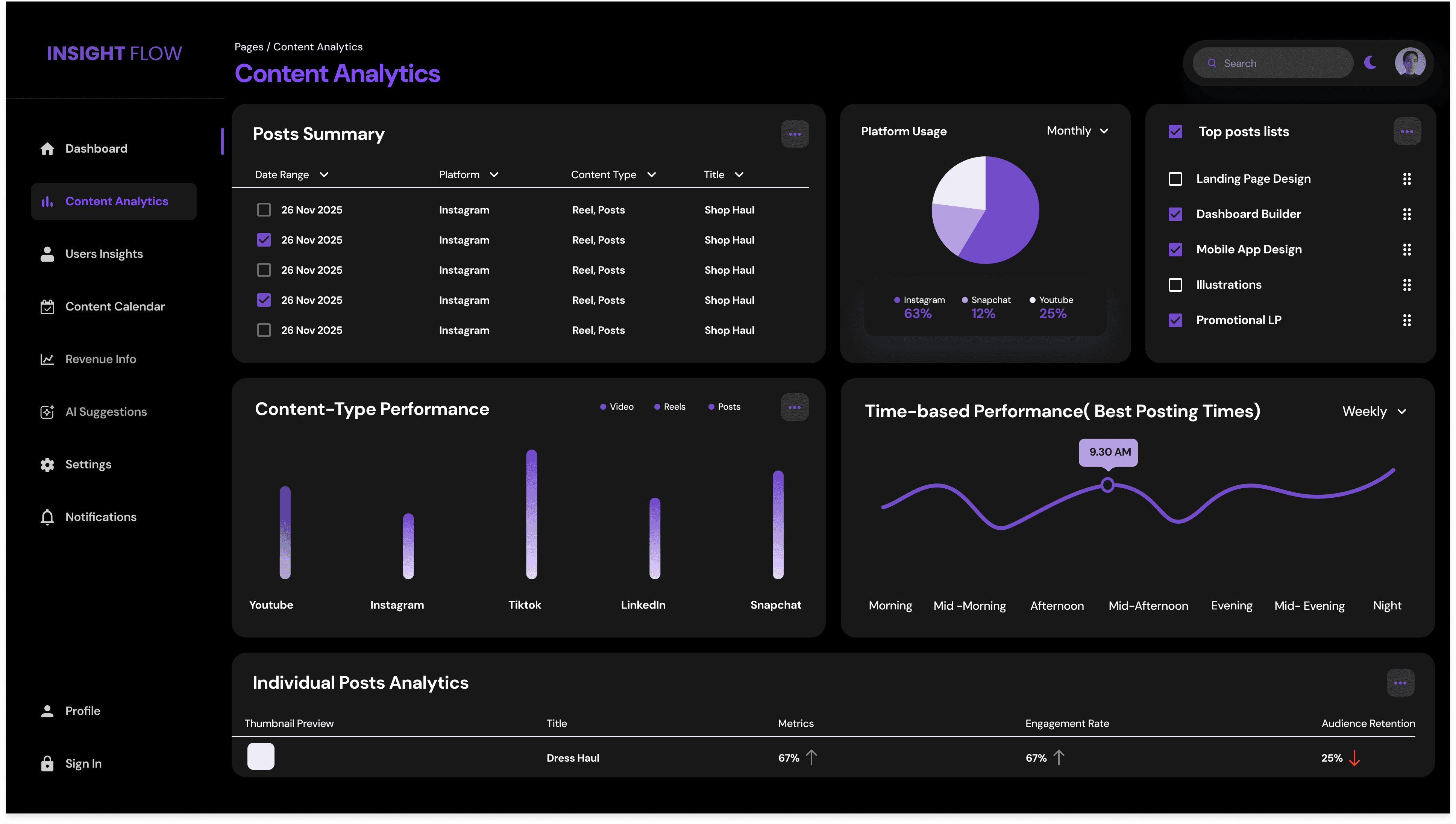
Creator Analytics Dashboard – Helping Content Creators Understand Their Performance

My Role & Scope

My Role & Scope

Role: UX Designer (Data Visualization & Product Design)

Project Type: Concept project

I led the end-to-end UX design for the Creator Analytics Dashboard, with a focus on information architecture, data visualization, and insight prioritization.

My responsibilities included:

  1. Defining creator use cases and decision-making needs Structuring complex analytics into clear, scannable hierarchies

  2. Designing dashboards that emphasize trends, comparisons, and actionable insights Translating raw metrics into human-readable narratives and recommendations

  3. Designing interaction patterns for filtering, drilling down, and cross-platform comparison

While this project did not include live data integration, design decisions were grounded in real-world creator workflows and existing analytics platforms.

Role: UX Designer (Data Visualization & Product Design)

Project Type: Concept project

I led the end-to-end UX design for the Creator Analytics Dashboard, with a focus on information architecture, data visualization, and insight prioritization.

My responsibilities included:

  1. Defining creator use cases and decision-making needs Structuring complex analytics into clear, scannable hierarchies

  2. Designing dashboards that emphasize trends, comparisons, and actionable insights Translating raw metrics into human-readable narratives and recommendations

  3. Designing interaction patterns for filtering, drilling down, and cross-platform comparison

While this project did not include live data integration, design decisions were grounded in real-world creator workflows and existing analytics platforms.

Overview

Overview

The Creator Analytics Dashboard is a web-based analytics system designed to help content creators understand performance, audience behavior, engagement, and revenue across platforms.

Instead of overwhelming users with dense metrics, the dashboard prioritizes clarity, narrative insights, and actionability, helping creators move from “data visibility” to confident decision-making.

The Creator Analytics Dashboard is a web-based analytics system designed to help content creators understand performance, audience behavior, engagement, and revenue across platforms.

Instead of overwhelming users with dense metrics, the dashboard prioritizes clarity, narrative insights, and actionability, helping creators move from “data visibility” to confident decision-making.

Problem Statement

Problem Statement

Content creators often manage multiple platforms such as YouTube, Instagram, and TikTok, each with its own analytics system. While data is abundant, it is fragmented, technical, and difficult to interpret, especially for non-analytical users.


Research revealed that creators struggle less with accessing data and more with understanding what the data means and what actions to take next.

Content creators often manage multiple platforms such as YouTube, Instagram, and TikTok, each with its own analytics system. While data is abundant, it is fragmented, technical, and difficult to interpret, especially for non-analytical users.


Research revealed that creators struggle less with accessing data and more with understanding what the data means and what actions to take next.

“I feel overwhelmed by numbers, unsure what content works, and tired of switching between multiple analytics dashboards. I just want one clean place that tells me exactly what’s happening with my growth and what I should do next.”

“I feel overwhelmed by numbers, unsure what content works, and tired of switching between multiple analytics dashboards. I just want one clean place that tells me exactly what’s happening with my growth and what I should do next.”

“I feel overwhelmed by numbers, unsure what content works, and tired of switching between multiple analytics dashboards. I just want one clean place that tells me exactly what’s happening with my growth and what I should do next.”

Key Pain Points

Key Pain Points

Interviews and desk research surfaced recurring challenges:

“I don’t know which content is actually working.”

“I drown in data. I just want clear insights.”

“I wish analytics told me what to do next.”

“I hate switching between multiple dashboards.”

Creators needed a single, unified dashboard that translates complex analytics into clear trends, meaningful comparisons, and recommended actions — without requiring technical expertise.

Interviews and desk research surfaced recurring challenges:

“I don’t know which content is actually working.”

“I drown in data. I just want clear insights.”

“I wish analytics told me what to do next.”

“I hate switching between multiple dashboards.”

Creators needed a single, unified dashboard that translates complex analytics into clear trends, meaningful comparisons, and recommended actions — without requiring technical expertise.

Research & Insights

Research & Insights

To understand how creators interpret and act on analytics, I conducted interviews with content creators alongside a Jobs To Be Done (JTBD) analysis and market benchmarking. While the sample size was small, the goal was to uncover decision-making friction, not statistical validation.

To understand how creators interpret and act on analytics, I conducted interviews with content creators alongside a Jobs To Be Done (JTBD) analysis and market benchmarking. While the sample size was small, the goal was to uncover decision-making friction, not statistical validation.

User Interviews

User Interviews

Interviews with creators revealed that analytics are used frequently, but rarely with confidence:

Creators check analytics daily, yet still feel overwhelmed by volume and complexity Multi-platform comparison is a major pain point, requiring creators to switch between multiple dashboards

Creators consistently asked for actionable insights, not just raw metrics

Revenue trends were difficult to interpret without clear context

Audience behavior (retention, age, active hours) was critical but hard to synthesize

These insights highlighted a gap between data availability and decision clarity.

Interviews with creators revealed that analytics are used frequently, but rarely with confidence:

Creators check analytics daily, yet still feel overwhelmed by volume and complexity Multi-platform comparison is a major pain point, requiring creators to switch between multiple dashboards

Creators consistently asked for actionable insights, not just raw metrics

Revenue trends were difficult to interpret without clear context

Audience behavior (retention, age, active hours) was critical but hard to synthesize

These insights highlighted a gap between data availability and decision clarity.

Jobs To Be Done (JBTD)

Jobs To Be Done (JBTD)

Key jobs creators are trying to accomplish:

When I post content, I want to understand which posts performed well, so I can create better content next time.

When I see a drop in views, I want to know why, so I can take corrective action quickly.

When I manage multiple platforms, I want a unified view, so I can track everything in one place.

These jobs emphasize that creators are not seeking analytics for reporting — they are seeking guidance for action.

Key jobs creators are trying to accomplish:

When I post content, I want to understand which posts performed well, so I can create better content next time.

When I see a drop in views, I want to know why, so I can take corrective action quickly.

When I manage multiple platforms, I want a unified view, so I can track everything in one place.

These jobs emphasize that creators are not seeking analytics for reporting — they are seeking guidance for action.

Market Benchmarking

Market Benchmarking

I analyzed existing platforms including YouTube Studio, Instagram Insights, TikTok Analytics, and Patreon Dashboard to understand current patterns and gaps. Common limitations included:

High data density with limited prioritization

Weak narrative flow across metrics

Minimal personalization based on creator goals

Lack of actionable recommendations

This reinforced the opportunity to design an analytics experience focused on sense-making rather than surface-level reporting.

I analyzed existing platforms including YouTube Studio, Instagram Insights, TikTok Analytics, and Patreon Dashboard to understand current patterns and gaps. Common limitations included:

High data density with limited prioritization

Weak narrative flow across metrics

Minimal personalization based on creator goals

Lack of actionable recommendations

This reinforced the opportunity to design an analytics experience focused on sense-making rather than surface-level reporting.

Design Goals

Design Goals

Based on research, four guiding design goals were defined:

  1. Clarity First — Establish a visual hierarchy where creators can immediately understand performance at a glance.

  2. Actionable Insights — Translate metrics into meaningful explanations and next steps.

  3. Multi-Platform Integration — Provide a unified view across platforms to reduce cognitive load.

  4. Scalable Information Architecture — Support both beginner creators and advanced users without overwhelming either group.

Based on research, four guiding design goals were defined:

  1. Clarity First — Establish a visual hierarchy where creators can immediately understand performance at a glance.

  2. Actionable Insights — Translate metrics into meaningful explanations and next steps.

  3. Multi-Platform Integration — Provide a unified view across platforms to reduce cognitive load.

  4. Scalable Information Architecture — Support both beginner creators and advanced users without overwhelming either group.

Information Architechture & System Structure

Information Architechture & System Structure

Based on research and creator decision-making patterns, the dashboard was structured using a progressive disclosure model — moving from high-level performance signals to deeper insights and actions.

The IA was designed to answer three core questions in sequence:

“How am I doing?” → “Why is this happening?” → “What should I do next?”

Based on research and creator decision-making patterns, the dashboard was structured using a progressive disclosure model — moving from high-level performance signals to deeper insights and actions.

The IA was designed to answer three core questions in sequence:

“How am I doing?” → “Why is this happening?” → “What should I do next?”

Level 1: Overview (At-a-Glance Performance)

Purpose: Immediate clarity

Primary question: “Is my content performing well?”

  1. Unified performance summary across platforms

  2. High-level KPIs: Views, Engagement Rate, Follower Growth, Revenue

  3. Trend indicators (↑ ↓) with time comparisons

  4. Alerts for anomalies (spikes or drops)

👉 Designed for quick daily check-ins

Level 1: Overview (At-a-Glance Performance)

Purpose: Immediate clarity

Primary question: “Is my content performing well?”

  1. Unified performance summary across platforms

  2. High-level KPIs: Views, Engagement Rate, Follower Growth, Revenue

  3. Trend indicators (↑ ↓) with time comparisons

  4. Alerts for anomalies (spikes or drops)

👉 Designed for quick daily check-ins

Level 2: Insights & Trends (Understanding Why)

Purpose: Sense-making

Primary question: “What’s driving this performance?”

  1. Content-level breakdown (top-performing posts, underperforming content)

  2. Audience behavior insights (retention, active hours, demographics)

  3. Platform comparison views (YouTube vs Instagram vs TikTok)

  4. Contextual explanations (“This video performed well due to higher retention in first 10 seconds”)

👉 Designed for weekly analysis and reflection

Level 2: Insights & Trends (Understanding Why)

Purpose: Sense-making

Primary question: “What’s driving this performance?”

  1. Content-level breakdown (top-performing posts, underperforming content)

  2. Audience behavior insights (retention, active hours, demographics)

  3. Platform comparison views (YouTube vs Instagram vs TikTok)

  4. Contextual explanations (“This video performed well due to higher retention in first 10 seconds”)

👉 Designed for weekly analysis and reflection

Level 3: Recommendations & Actions

Purpose: Actionability

Primary question: “What should I do next?”

  1. AI-assisted recommendations (e.g., “Post more short-form content on weekends”)

  2. Suggested experiments (content length, posting time, format)

  3. Saveable insights for later reference

  4. Action CTAs (schedule, export, compare)

👉 Designed to bridge insight → execution

Level 3: Recommendations & Actions

Purpose: Actionability

Primary question: “What should I do next?”

  1. AI-assisted recommendations (e.g., “Post more short-form content on weekends”)

  2. Suggested experiments (content length, posting time, format)

  3. Saveable insights for later reference

  4. Action CTAs (schedule, export, compare)

👉 Designed to bridge insight → execution

Level 4: Advanced Analytics & Custom Views

Purpose: Depth without overwhelm

Primary question: “I want to explore this further.”

Custom filters and segments

Time-range comparisons

Revenue-specific analytics

Power-user views for experienced creators

👉 Optional depth for advanced users without cluttering the core experience

Level 4: Advanced Analytics & Custom Views

Purpose: Depth without overwhelm

Primary question: “I want to explore this further.”

Custom filters and segments

Time-range comparisons

Revenue-specific analytics

Power-user views for experienced creators

👉 Optional depth for advanced users without cluttering the core experience

IA Flow
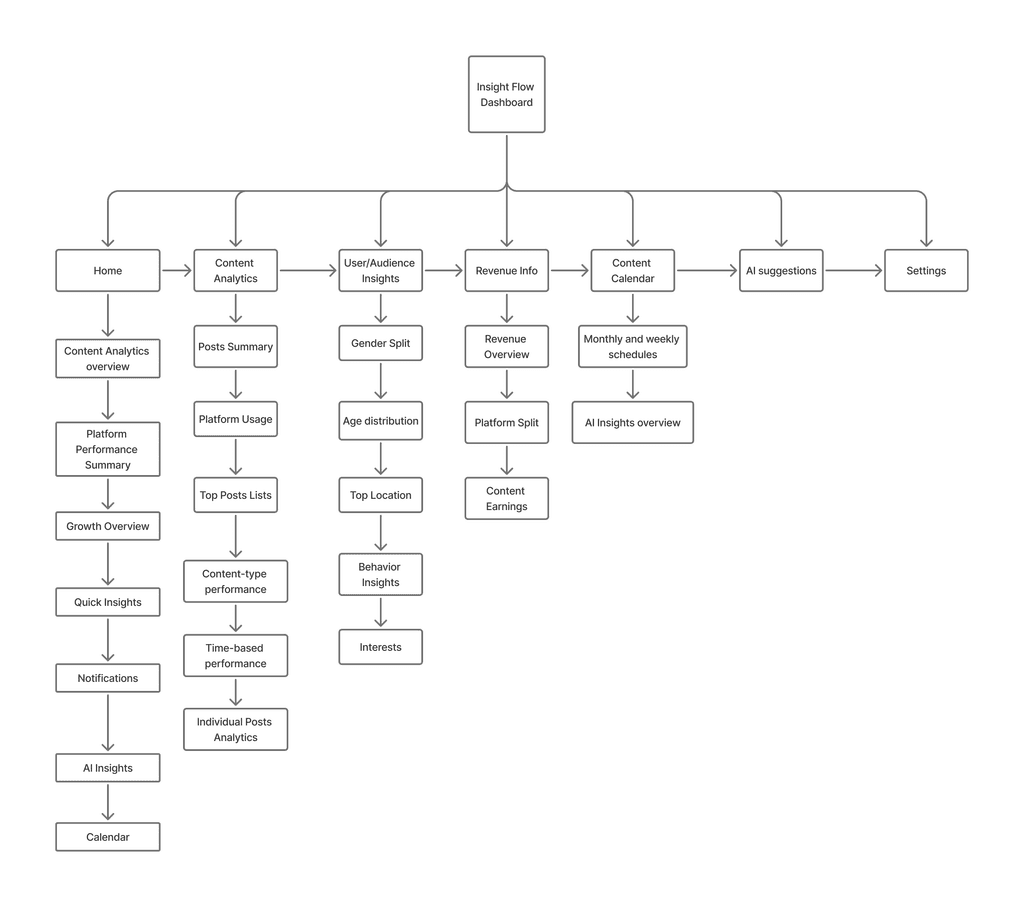
IA Flow

Design Exploration & Wireframes

Design Exploration & Wireframes

High-Fi Directions

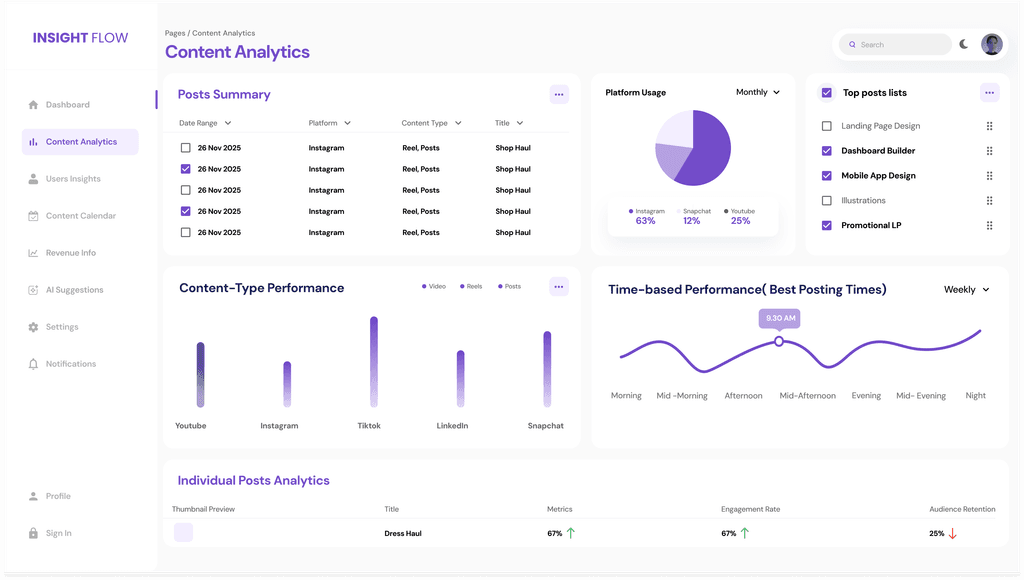
Data visualization follows best practices:

  • Clean line charts for trends

  • Bar charts for comparisons

  • Heatmaps for audience active hours

  • Progressive disclosure for complex data

High-Fi Directions

Data visualization follows best practices:

  • Clean line charts for trends

  • Bar charts for comparisons

  • Heatmaps for audience active hours

  • Progressive disclosure for complex data

Home Screen
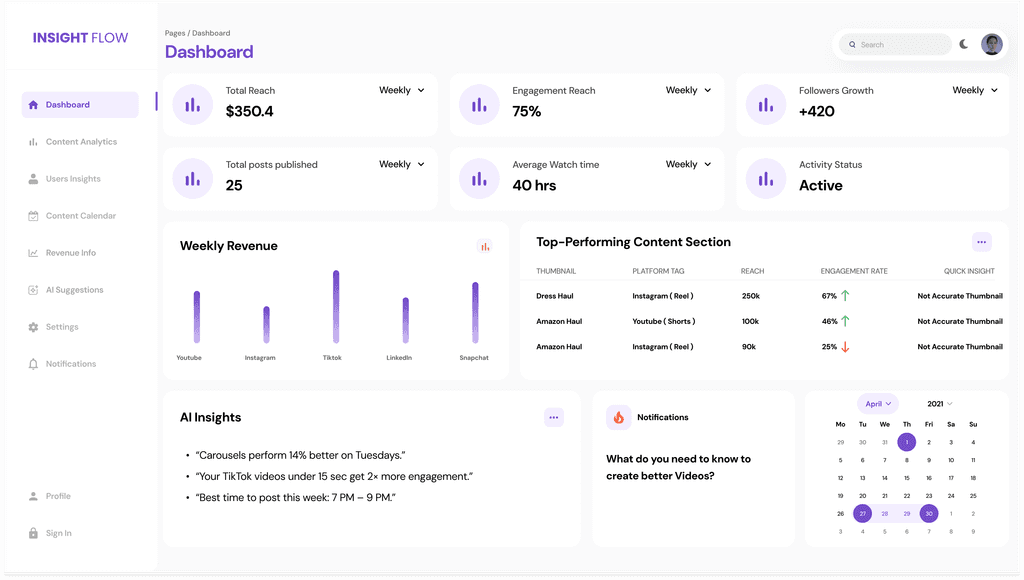
Home Screen

Content Analytics Screen

Content Analytics Screen

Content Calendar Screen
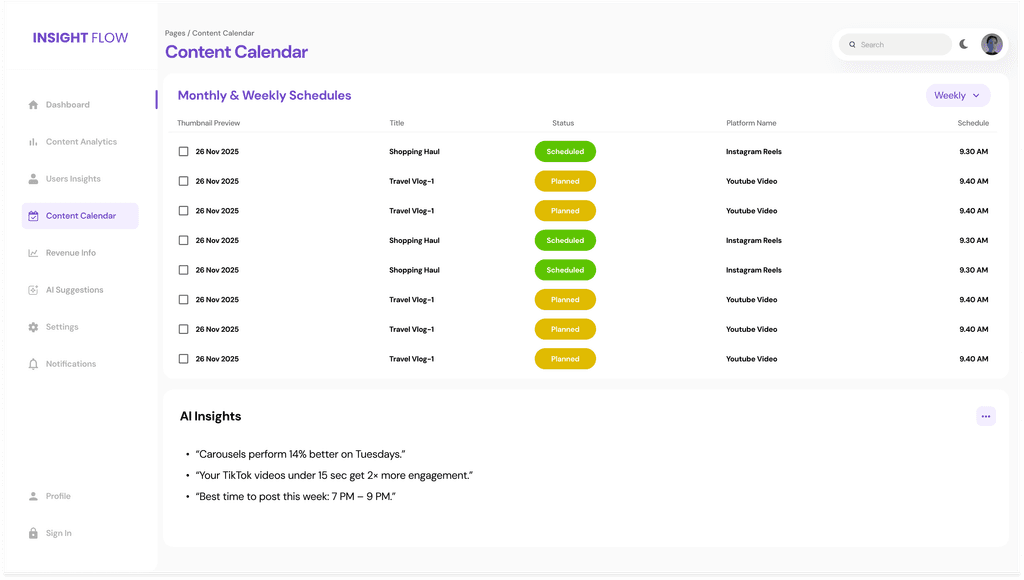
Content Calendar Screen

Revenue Info
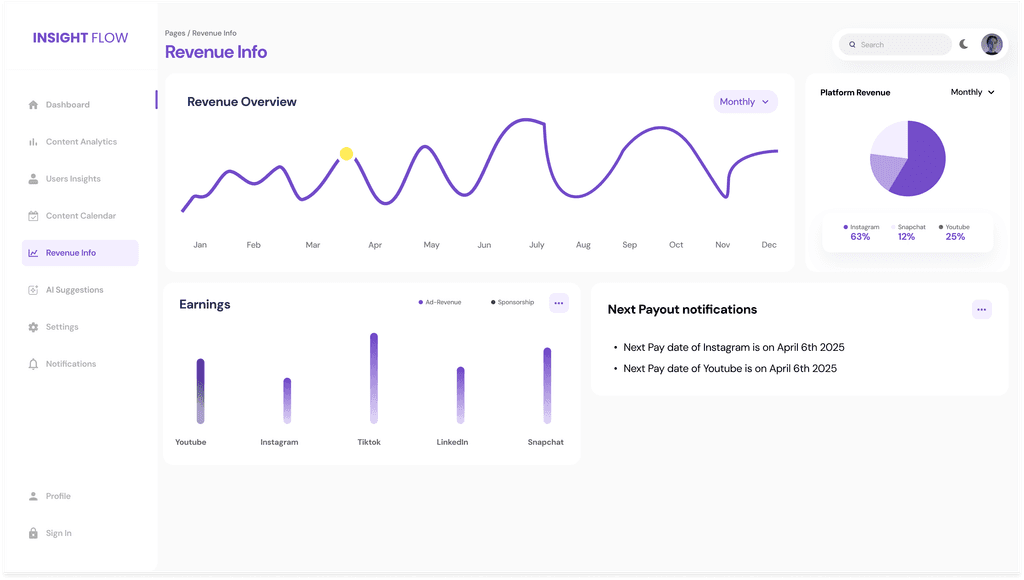
Revenue Info

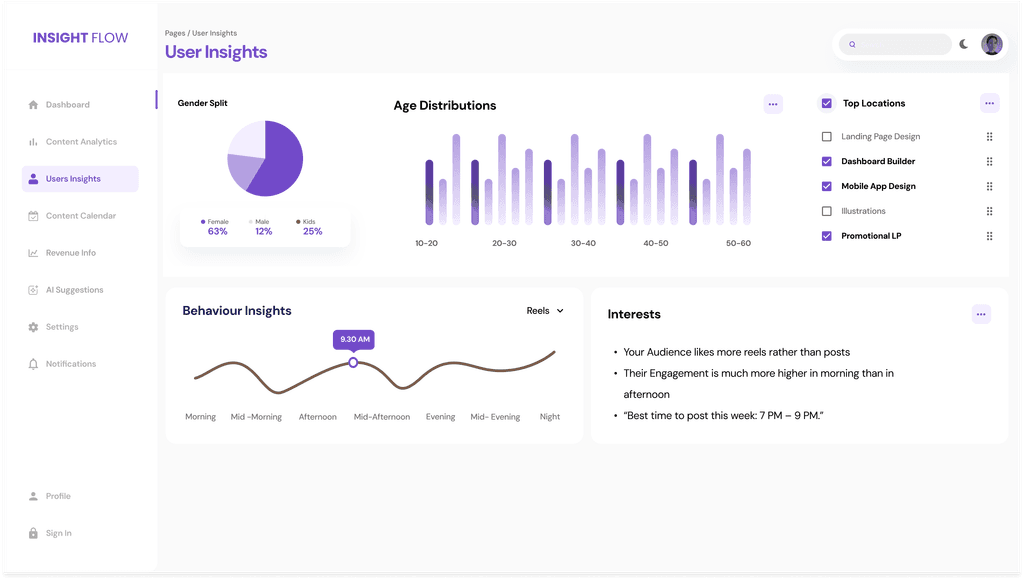
User Insights Screen

User Insights Screen

Final Solution — Key Features

Final Solution — Key Features

  1. Unified Analytics Dashboard: Shows overall performance across YouTube, Instagram, and TikTok in one place.

    Features:

    • Views

    • Engagement rate

    • Watch time

    • Follower growth

    • Revenue summary

  1. Unified Analytics Dashboard: Shows overall performance across YouTube, Instagram, and TikTok in one place.

    Features:

    • Views

    • Engagement rate

    • Watch time

    • Follower growth

    • Revenue summary

Why it matters?

Why it matters?

Creators don’t have to jump between multiple apps — everything is unified.

Creators don’t have to jump between multiple apps — everything is unified.

  1. Content Performance Insights

Displays top-performing content with detailed breakdown:

  • Thumbnail previews

  • CTR (Click-through-rate)

  • View duration

  • Traffic sources

  • Engagement actions

  1. Content Performance Insights

Displays top-performing content with detailed breakdown:

  • Thumbnail previews

  • CTR (Click-through-rate)

  • View duration

  • Traffic sources

  • Engagement actions

Why it matters?

Why it matters?

Helps creators understand what content resonates most.

Helps creators understand what content resonates most.

  1. Audience Behavior Deep-Dive

Includes:

  • Demographics

  • Active hours heatmap

  • Age + location breakdown

  • Retention curves

  1. Audience Behavior Deep-Dive

Includes:

  • Demographics

  • Active hours heatmap

  • Age + location breakdown

  • Retention curves

Why it matters?

Why it matters?

Creators can post at the right time and tailor content for their audience.

Creators can post at the right time and tailor content for their audience.

  1. Revenue Dashboard

Breakdown by:

  • Platform

  • Content type

  • Sponsorship vs Ad revenue

  • Earnings trends

  1. Revenue Dashboard

Breakdown by:

  • Platform

  • Content type

  • Sponsorship vs Ad revenue

  • Earnings trends

Why it matters?

Why it matters?

Supports transparency and financial clarity.

Supports transparency and financial clarity.

  1. Smart Recommendations (AI-Assisted)

Examples:

  • “Your audience is most active at 6 PM — schedule your next post for this time.”

  • “Short videos performed 40% better this week.”

  • “Your audience retention drops after 20 seconds — try adding a hook earlier.”

  1. Smart Recommendations (AI-Assisted)

Examples:

  • “Your audience is most active at 6 PM — schedule your next post for this time.”

  • “Short videos performed 40% better this week.”

  • “Your audience retention drops after 20 seconds — try adding a hook earlier.”

Why it matters?

Why it matters?

Turns analytics into actionable next steps.

Turns analytics into actionable next steps.

Usability Testing

Usability Testing

Participants: 2 creators

Objective: Evaluate clarity + findability of data

Key Results:

  • 100% could interpret top KPIs within 10 seconds

  • 3/4 found recommendations extremely useful

  • 4/4 liked the clear visual hierarchy

  • 1 wanted more personalization filters

Improvements Made:

  • Added customizable widgets

  • Improved contrast on dense charts

  • Added metric tooltips for clarity

Participants: 2 creators

Objective: Evaluate clarity + findability of data

Key Results:

  • 100% could interpret top KPIs within 10 seconds

  • 3/4 found recommendations extremely useful

  • 4/4 liked the clear visual hierarchy

  • 1 wanted more personalization filters

Improvements Made:

  • Added customizable widgets

  • Improved contrast on dense charts

  • Added metric tooltips for clarity

Expected Impact (Hypothesis-based)

Expected Impact (Hypothesis-based)

Based on research and creator feedback:

  • 40% faster insight discovery (clearer dashboard)

  • 30% increase in content optimization (due to recommendation engine)

  • 45% reduction in cognitive load (due to improved data hierarchy)

  • Higher multi-platform adoption because creators can compare performance easily

These metrics show the system’s potential to elevate creator decision-making.

Based on research and creator feedback:

  • 40% faster insight discovery (clearer dashboard)

  • 30% increase in content optimization (due to recommendation engine)

  • 45% reduction in cognitive load (due to improved data hierarchy)

  • Higher multi-platform adoption because creators can compare performance easily

These metrics show the system’s potential to elevate creator decision-making.

Reflection & Learnings

Reflection & Learnings

Designing dashboards requires balancing minimalism with depth.

  • Creators prefer actionable insights over complex data visuals.

  • Data density must be controlled ruthlessly — clarity beats quantity.

  • Platforms use different metrics → mapping a unified model was a major learning.

  • Next steps:

    • Add predictive analytics

    • Include team collaboration features

    • Add a mobile companion version

Designing dashboards requires balancing minimalism with depth.

  • Creators prefer actionable insights over complex data visuals.

  • Data density must be controlled ruthlessly — clarity beats quantity.

  • Platforms use different metrics → mapping a unified model was a major learning.

  • Next steps:

    • Add predictive analytics

    • Include team collaboration features

    • Add a mobile companion version

Nutri-Craft

A Personalized Nutrition and Recipe Generator App

Nutri-Craft

A Personalized Nutrition and Recipe Generator App

Nutri-Craft

A Personalized Nutrition and Recipe Generator App

MY Role & Scope

MY Role & Scope

MY Role & Scope

Role: UX/UI Designer

Project Type: Solo university coursework project

I led the end-to-end design process, including:

  1. Defining the problem space and user needs

  2. Designing personalization flows for dietary preferences and restrictions

  3. Creating wireframes and high-fidelity prototypes

  4. Exploring ethical and usable applications of AI in health-related decision making

While this project did not involve engineering implementation, design decisions were grounded in real-world feasibility and responsible AI principles.

Role: UX/UI Designer

Project Type: Solo university coursework project

I led the end-to-end design process, including:

  1. Defining the problem space and user needs

  2. Designing personalization flows for dietary preferences and restrictions

  3. Creating wireframes and high-fidelity prototypes

  4. Exploring ethical and usable applications of AI in health-related decision making

While this project did not involve engineering implementation, design decisions were grounded in real-world feasibility and responsible AI principles.

Problem Statement

Problem Statement

Problem Statement

Many nutrition and recipe apps overwhelm users with generic recommendations that fail to account for individual constraints such as allergies, lifestyle, or budget.

Users often spend excessive time filtering recipes, second-guessing health advice, or abandoning meal plans altogether because the experience feels rigid, unrealistic, or misaligned with their daily routines.

Many nutrition and recipe apps overwhelm users with generic recommendations that fail to account for individual constraints such as allergies, lifestyle, or budget.

Users often spend excessive time filtering recipes, second-guessing health advice, or abandoning meal plans altogether because the experience feels rigid, unrealistic, or misaligned with their daily routines.

Why choose this project out of many?

Why choose this project out of many?

Why choose this project out of many?

Nutrition directly impacts long-term health, yet access to personalized dietary guidance remains limited. According to a Statista 2023 report, 64% of users abandon food and nutrition apps within two weeks due to recommendations that don’t fit their lifestyle or constraints.


Nutri-Craft addresses this gap by exploring how AI-driven personalization can make healthy eating more accessible, adaptable, and sustainable for everyday users.

Nutrition directly impacts long-term health, yet access to personalized dietary guidance remains limited. According to a Statista 2023 report, 64% of users abandon food and nutrition apps within two weeks due to recommendations that don’t fit their lifestyle or constraints.


Nutri-Craft addresses this gap by exploring how AI-driven personalization can make healthy eating more accessible, adaptable, and sustainable for everyday users.

About this project

About this project

About this project

Nutri-Craft is a personalized, AI-assisted nutrition app designed to help users plan meals and generate recipes based on their dietary preferences, allergies, budget constraints, and health goals.


The goal of Nutri-Craft was to reduce the cognitive overload associated with meal planning by transforming fragmented health inputs into actionable, everyday food decisions — without requiring access to a personal dietitian.

Nutri-Craft is a personalized, AI-assisted nutrition app designed to help users plan meals and generate recipes based on their dietary preferences, allergies, budget constraints, and health goals.


The goal of Nutri-Craft was to reduce the cognitive overload associated with meal planning by transforming fragmented health inputs into actionable, everyday food decisions — without requiring access to a personal dietitian.

Impact

Impact

Helped reduce decision fatigue, increased recipe relevance, and encouraged sustainable eating habits.

Helped reduce decision fatigue, increased recipe relevance, and encouraged sustainable eating habits.

About this project

Nutri-Craft — Personalized AI Recipe Generator Nutri-Craft helps users generate AI-powered personalized recipes and grocery lists based on their dietary needs, allergies, budget, and health goals.

My Role: UX/UI Designer (Research, Wireframing, Prototyping)

Team: Solo project (University Coursework)

Research

Research

Research

Methods of Research

Methods of Research

Methods of Research

To understand real-world meal planning challenges, I conducted a 7-day diary study with 3 participants alongside semi-structured user interviews. While the sample size was small, the goal was to uncover daily decision friction, not statistical validation. Key research activities included: Diary Study: Captured day-to-day struggles around planning, cooking motivation, and time constraints User Interviews: Explored dietary needs, allergies, budgeting concerns, and cooking habits Competitive Audit: Analyzed Yummly, Tasty, and MyFitnessPal to identify gaps in personalization and flexibility Research revealed that users were not struggling with a lack of recipes — they were struggling with decision fatigue and misaligned recommendations.

To understand real-world meal planning challenges, I conducted a 7-day diary study with 3 participants alongside semi-structured user interviews. While the sample size was small, the goal was to uncover daily decision friction, not statistical validation. Key research activities included: Diary Study: Captured day-to-day struggles around planning, cooking motivation, and time constraints User Interviews: Explored dietary needs, allergies, budgeting concerns, and cooking habits Competitive Audit: Analyzed Yummly, Tasty, and MyFitnessPal to identify gaps in personalization and flexibility Research revealed that users were not struggling with a lack of recipes — they were struggling with decision fatigue and misaligned recommendations.

Pain Points

Pain Points

Pain Points

Three recurring pain points emerged across research:

  1. Time wasted filtering irrelevant recipes, especially for users with allergies or specific diets

  2. Cost and effort mismatch, where suggested meals felt unrealistic for everyday cooking

  3. Rigid diet plans, which failed to adapt to mood, energy, or changing schedules

These insights highlighted the need for a system that supports flexible decision-making, rather than enforcing idealized eating behavior.

Three recurring pain points emerged across research:

  1. Time wasted filtering irrelevant recipes, especially for users with allergies or specific diets

  2. Cost and effort mismatch, where suggested meals felt unrealistic for everyday cooking

  3. Rigid diet plans, which failed to adapt to mood, energy, or changing schedules

These insights highlighted the need for a system that supports flexible decision-making, rather than enforcing idealized eating behavior.

Design Approach: Personalization Through Guided AI

Design Approach: Personalization Through Guided AI

Design Approach: Personalization Through Guided AI

Rather than positioning AI as a decision-maker, Nutri-Craft uses AI as a supportive assistant that reduces cognitive load while keeping users in control. Personalization was designed as a guided, transparent process, not a black box.

Rather than positioning AI as a decision-maker, Nutri-Craft uses AI as a supportive assistant that reduces cognitive load while keeping users in control. Personalization was designed as a guided, transparent process, not a black box.

Journey Map

Awareness

Onboarding

Goal Setting

Meal Planning

Progress Tracker

Users discover the app through social media, recommendations from friends, or health blogs.

New users register, indicating their health goals such as weight loss, improved fitness, or overall well-being.

Users specify their dietary preferences, allergies, and personalized objectives within the app.

The AI recommends meals and creates a corresponding grocery list, enabling users to plan their weekly meals.

The app provides daily reminders, motivational support, and tracks consistency using streak-based monitoring.

Users typically find the application through App Store suggestions or by participating in fitness challenges.

The app offers a guided tour of its features and includes a helpful voice assistant.

The user selects a challenge mode, such as a sugar-free week or specific meal preparation objectives.

Users plan their meals by dragging and dropping them onto a digital calendar.

The application tracks meals and fluid consumption, presenting the data in visual reports.

Gain new users through referrals from bloggers, influencers, or registered nutritionists.

Users create profiles that include information such as age, weight, and specific health concerns.

The platform provides AI-powered recommendations for realistic and attainable daily goals.

Users can share their progress and connect with others in the community during mealtimes.

Receive personalized feedback and motivational support tailored to individual behavior and progress.

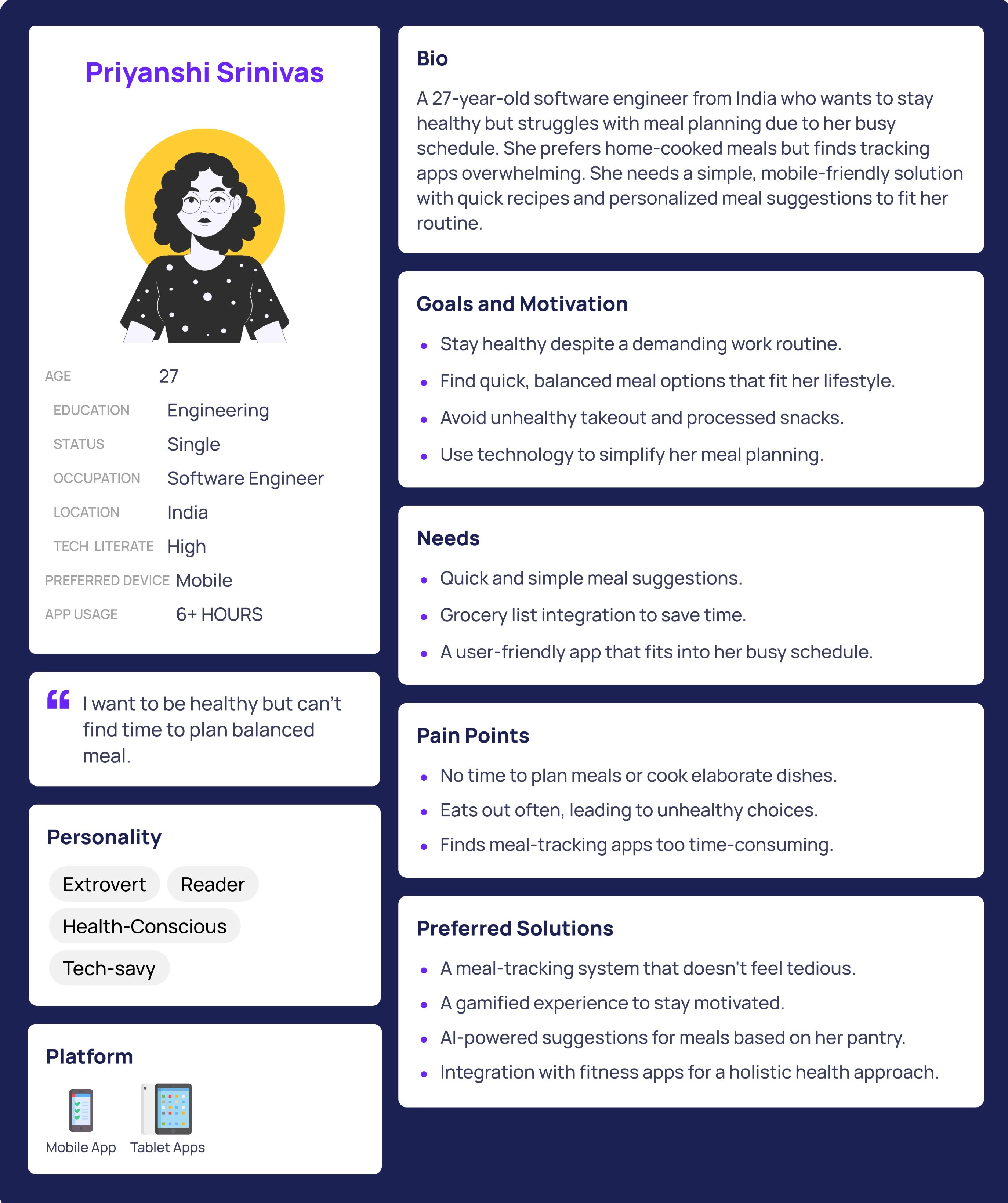
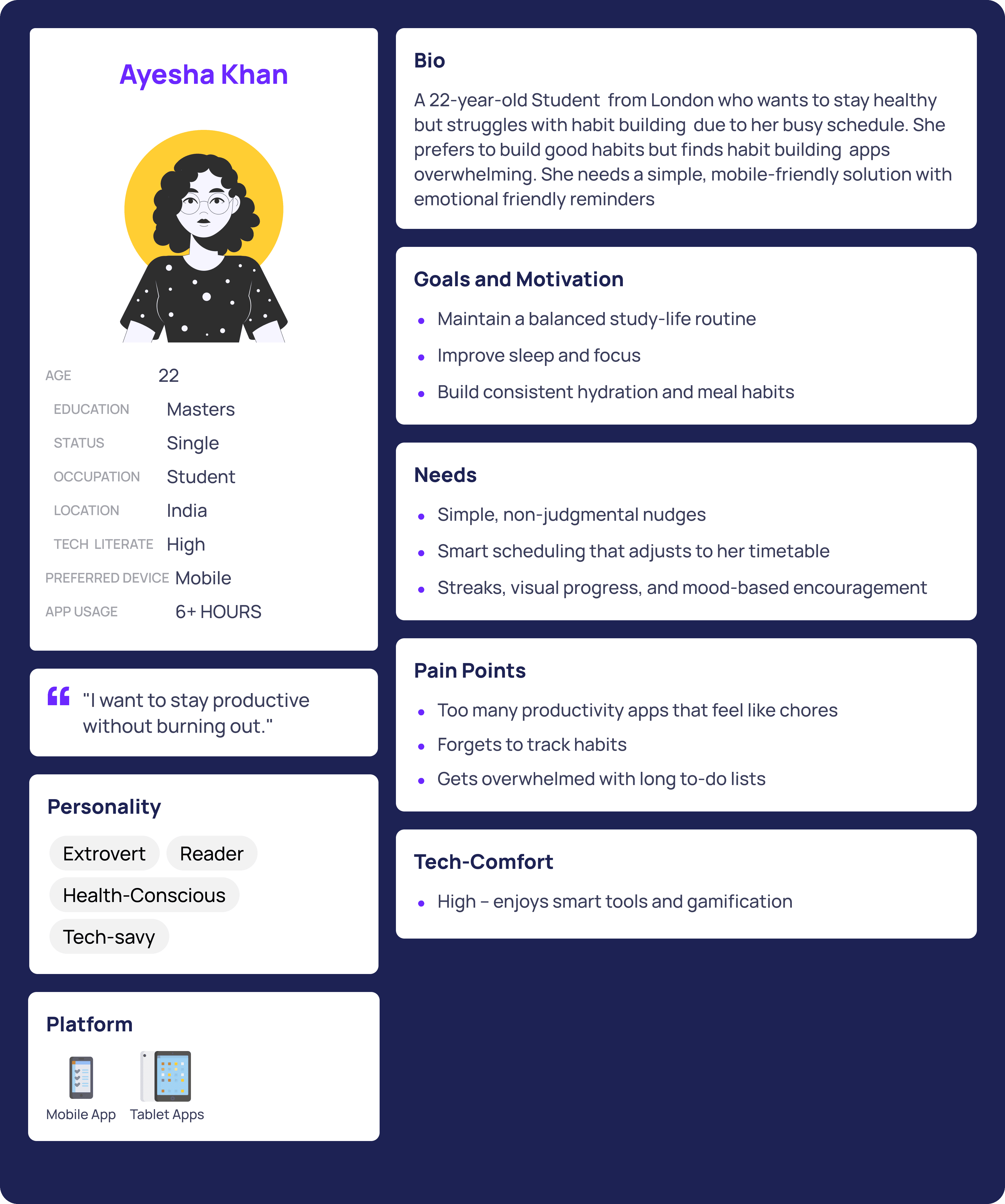
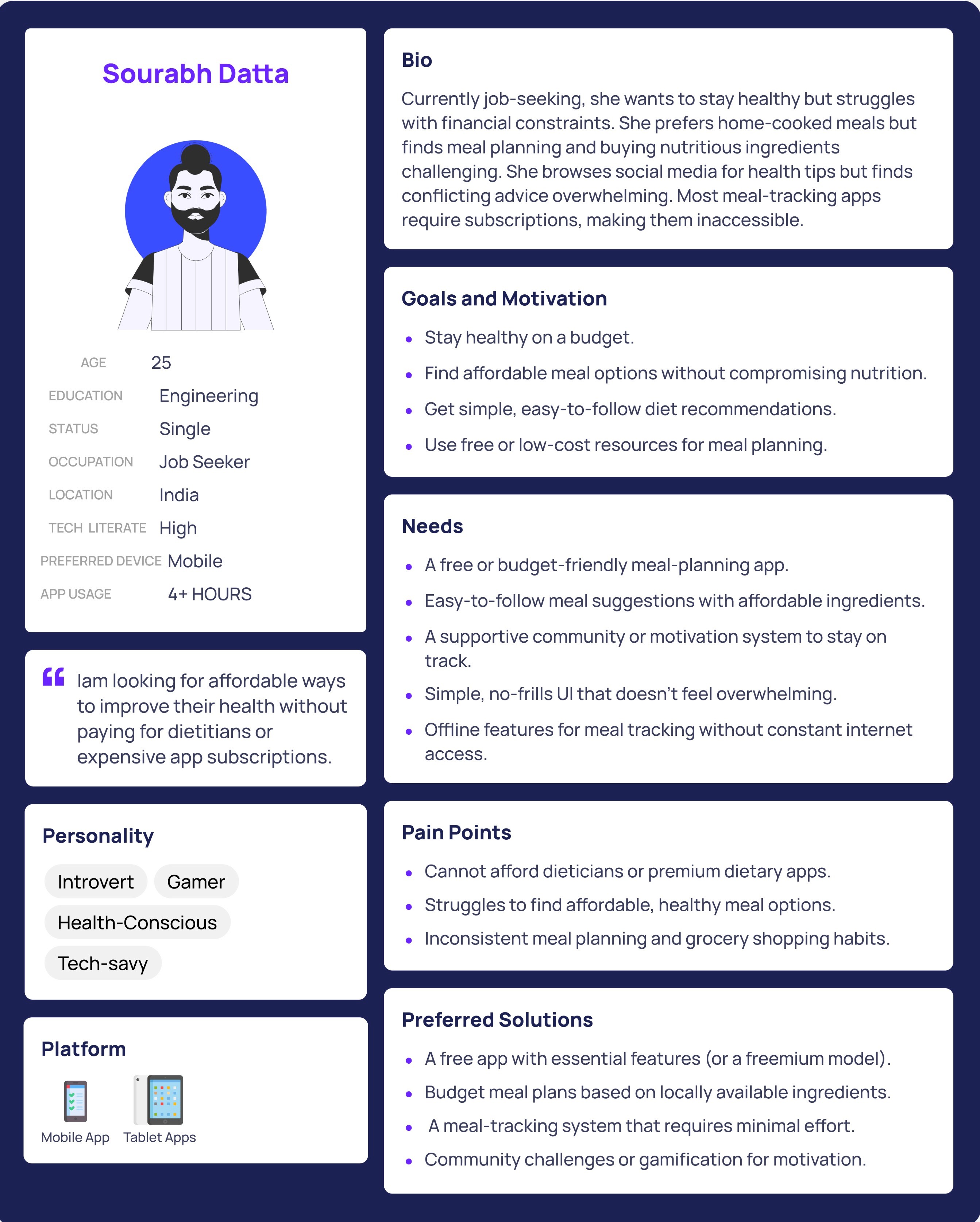
User Personas
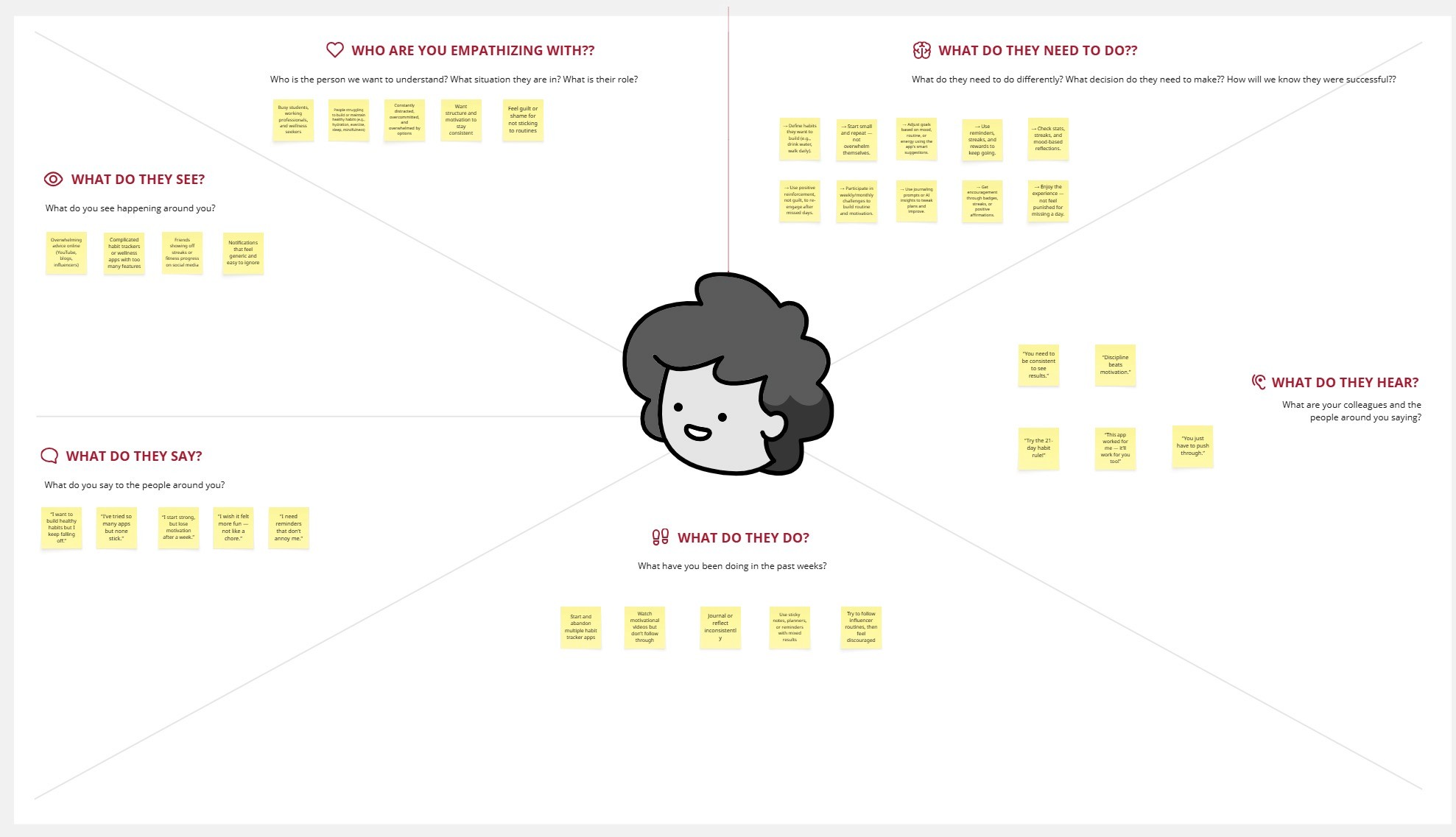
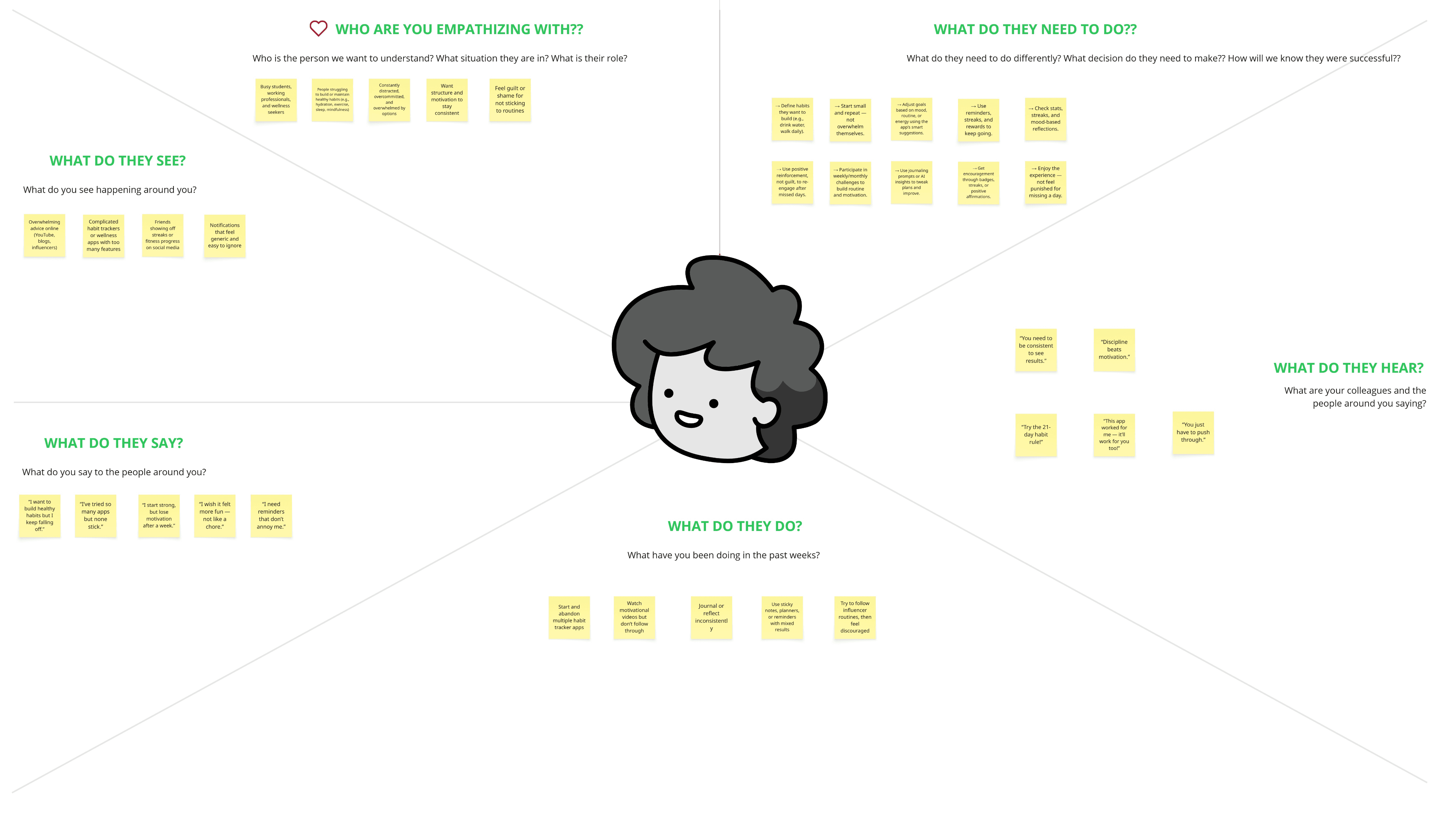
Empathy Mapping
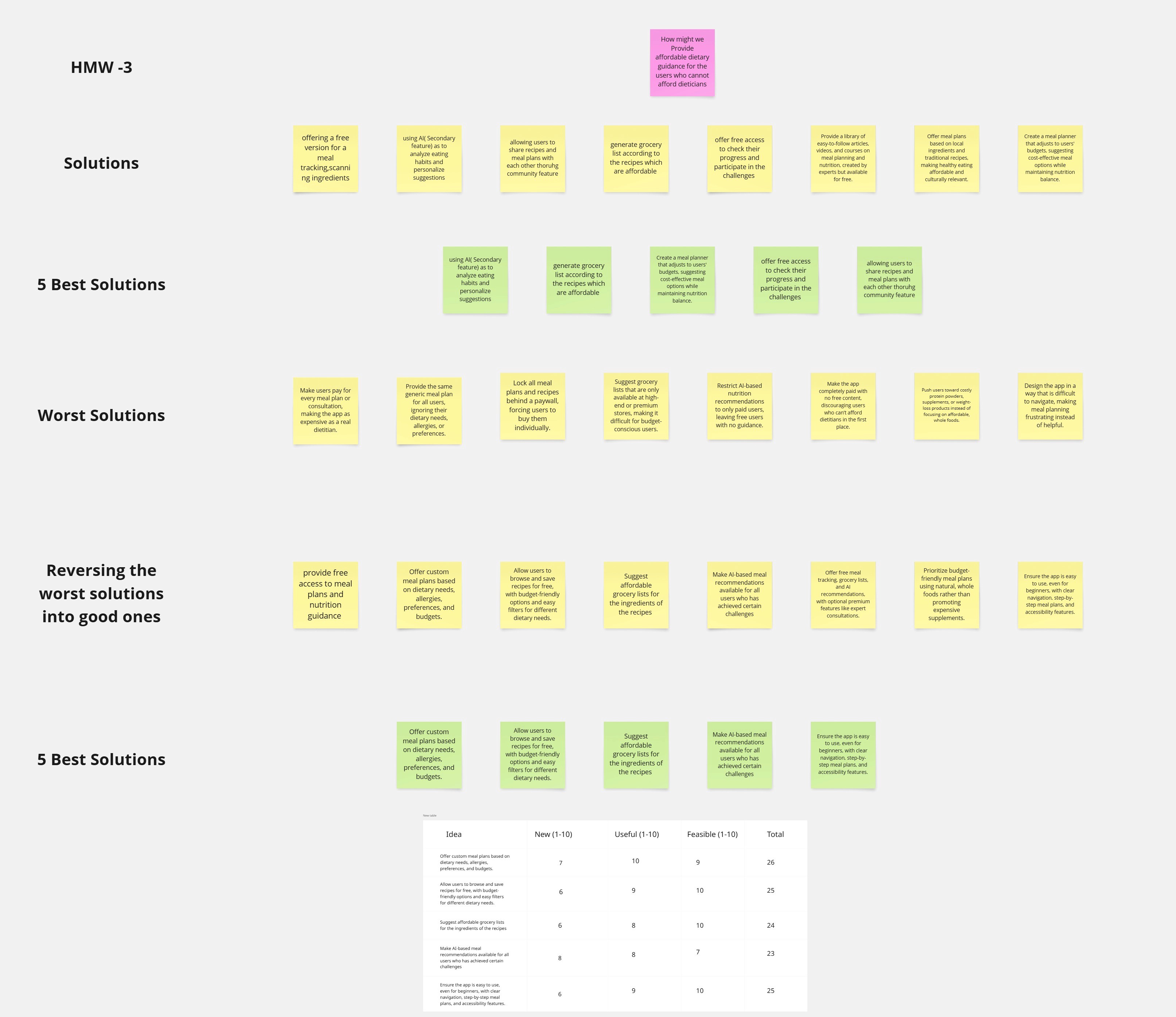
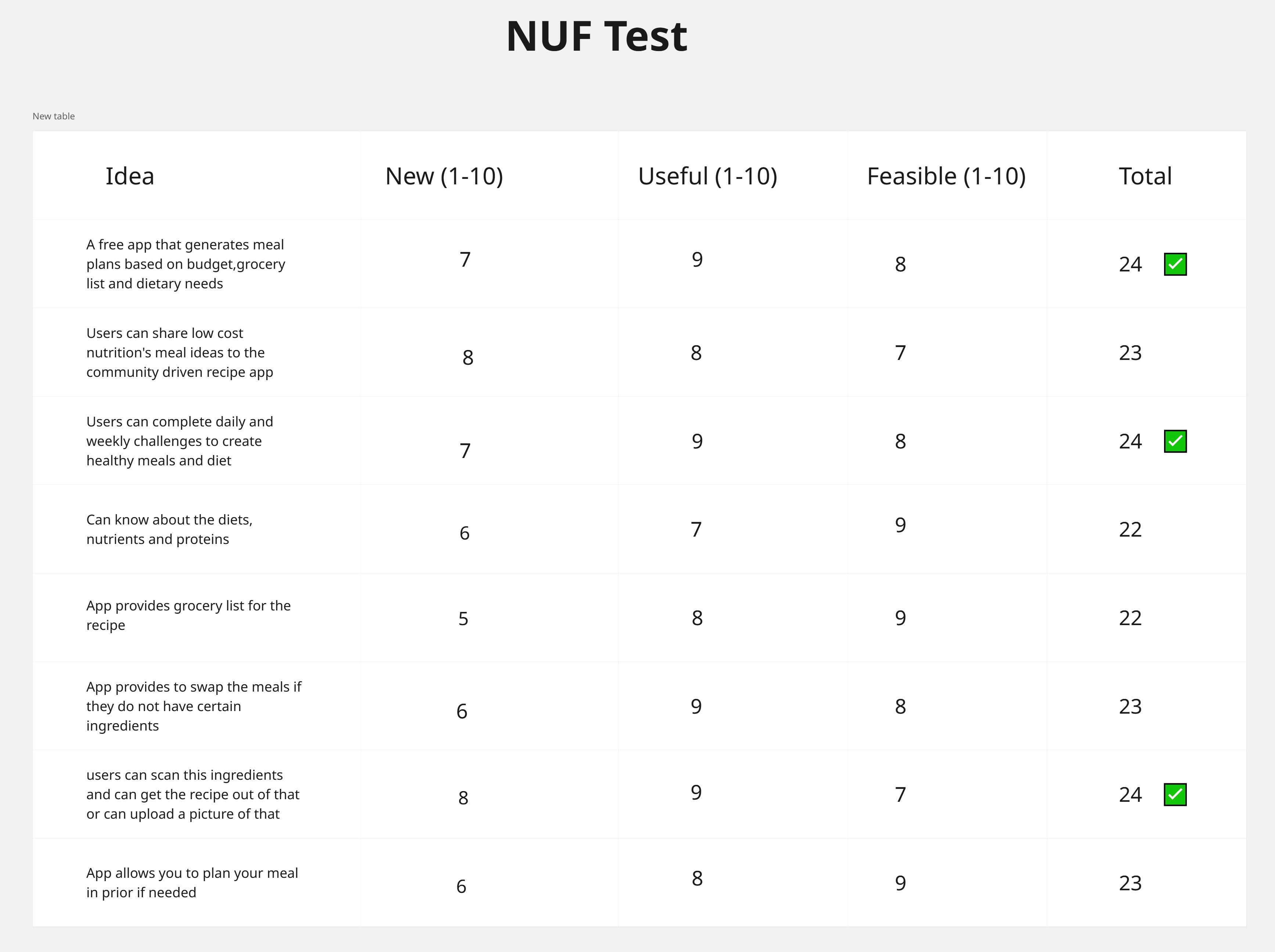
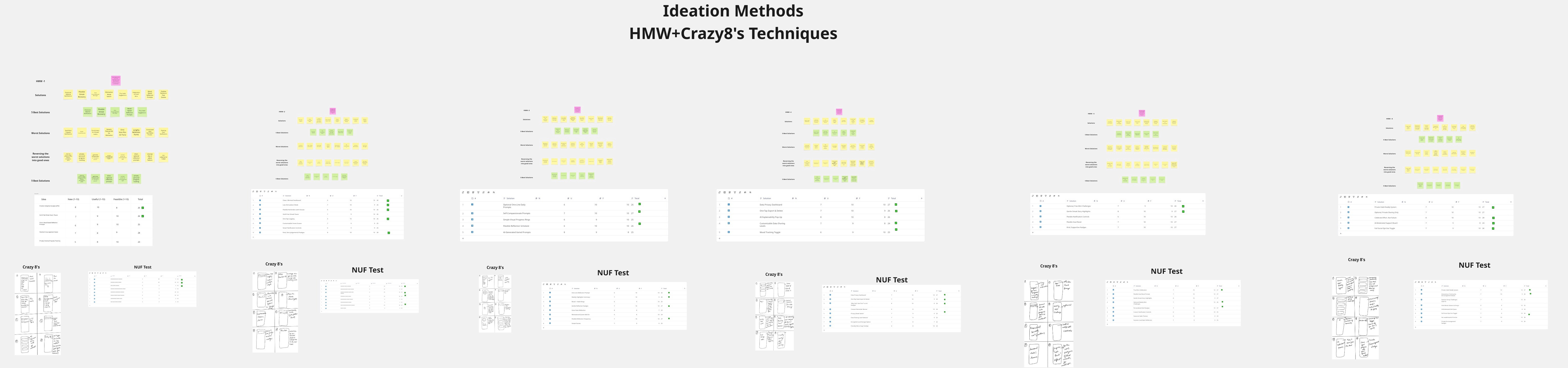
Ideation

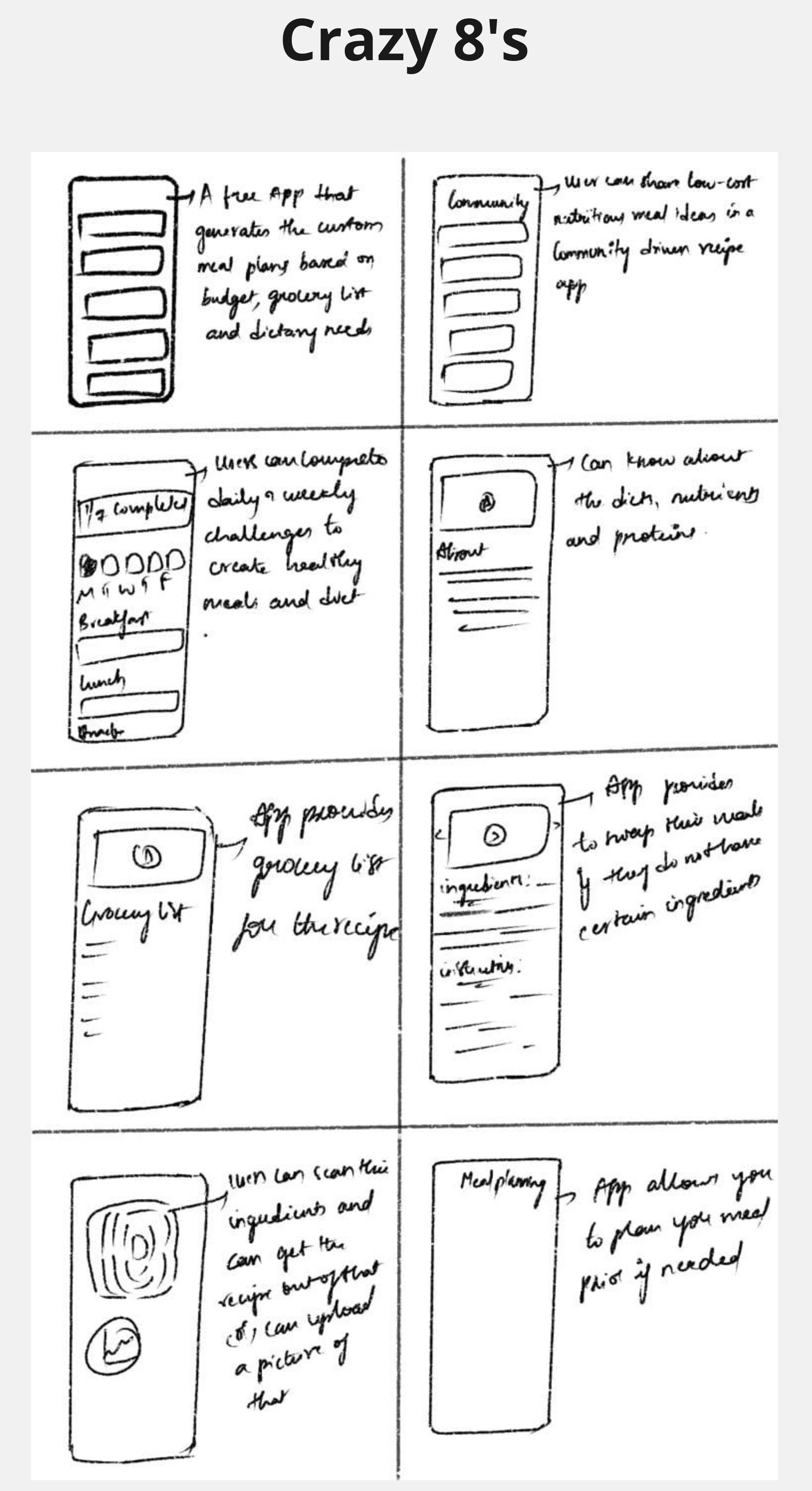
Analysis

Competitive Analysis

Competitor analysis is the process of researching and evaluating your app’s rivals to understand their strengths, weaknesses, and market positioning. It helps identify opportunities to make your product stand out.

Features

Personalized Meal Plans

Recipe Generator (Based on Diet)

Calorie & Macro Tracking

Grocery List Integration

AI-based Recommendations

Allergies & Preferences Filter

Progress Tracking

Food Barcode Scanner

My Fitness

pal

Yazio

Lifesum

Eat this much

My plate by

livestrong

👍

👍

👍

👍

👍

👍

👍

👍

👍

👍

👍

👍

👍

👍

👍

👍

👍

👍

👍

👍

👍

👍

👍

👍

👍

👍

👍

👍

👍

👍

👍

👍

👍

👍

👍

👍

👍

👍

👍

👍

Features Designed

Features Designed

Features Designed

  1. Smart Onboarding → Select allergies, preferences, health goals

  2. AI Recipe Generator → Daily recipe suggestions with nutritional breakdown

  3. Grocery List Sync → Auto-shopping list generated from recipes

  4. Mood & Feedback Tracker → Users can rate recipes (“Too complex / Too costly / Loved it”), AI adapts

  1. Smart Onboarding → Select allergies, preferences, health goals

  2. AI Recipe Generator → Daily recipe suggestions with nutritional breakdown

  3. Grocery List Sync → Auto-shopping list generated from recipes

  4. Mood & Feedback Tracker → Users can rate recipes (“Too complex / Too costly / Loved it”), AI adapts

  1. Smart Onboarding → Select allergies, preferences, health goals

  2. AI Recipe Generator → Daily recipe suggestions with nutritional breakdown

  3. Grocery List Sync → Auto-shopping list generated from recipes

  4. Mood & Feedback Tracker → Users can rate recipes (“Too complex / Too costly / Loved it”), AI adapts

🔎 Why I Designed These Features & Their Impact

🔎 Why I Designed These Features & Their Impact

1. Smart Onboarding

Why I Designed It:

During research, I found users spent a lot of time dismissing irrelevant recipes.

One user said: “Every time I open a recipe app, I waste 10 minutes filtering out things I can’t eat.” I realized personalization needed to start from the very first interaction, not after browsing.

Struggles:

At first, my onboarding flow felt too long — users dropped off. I had to balance collecting enough details (allergies, health goals, budgets) with not overwhelming them.

1. Smart Onboarding

Why I Designed It:

During research, I found users spent a lot of time dismissing irrelevant recipes.

One user said: “Every time I open a recipe app, I waste 10 minutes filtering out things I can’t eat.” I realized personalization needed to start from the very first interaction, not after browsing.

Struggles:

At first, my onboarding flow felt too long — users dropped off. I had to balance collecting enough details (allergies, health goals, budgets) with not overwhelming them.

1. Smart Onboarding

Why I Designed It:

During research, I found users spent a lot of time dismissing irrelevant recipes.

One user said: “Every time I open a recipe app, I waste 10 minutes filtering out things I can’t eat.” I realized personalization needed to start from the very first interaction, not after browsing.

Struggles:

At first, my onboarding flow felt too long — users dropped off. I had to balance collecting enough details (allergies, health goals, budgets) with not overwhelming them.

Impact

In usability tests, 4/5 users said the onboarding made them feel “understood” by the app, and they trusted recipe suggestions more because they felt tailored.

In usability tests, 4/5 users said the onboarding made them feel “understood” by the app, and they trusted recipe suggestions more because they felt tailored.

In usability tests, 4/5 users said the onboarding made them feel “understood” by the app, and they trusted recipe suggestions more because they felt tailored.

2. AI Recipe Generator (Daily Suggestions)

Why I Designed It:

People felt “decision fatigue” when scrolling through endless recipes. The AI generator narrowed it down to 3 smart options/day, reducing choice overload.

Struggles:

My first design gave too many options → users still felt overwhelmed. I cut it down to 3 curated suggestions based on mood, budget, and goals.

2. AI Recipe Generator (Daily Suggestions)

Why I Designed It:

People felt “decision fatigue” when scrolling through endless recipes. The AI generator narrowed it down to 3 smart options/day, reducing choice overload.

Struggles:

My first design gave too many options → users still felt overwhelmed. I cut it down to 3 curated suggestions based on mood, budget, and goals.

2. AI Recipe Generator (Daily Suggestions)

Why I Designed It:

People felt “decision fatigue” when scrolling through endless recipes. The AI generator narrowed it down to 3 smart options/day, reducing choice overload.

Struggles:

My first design gave too many options → users still felt overwhelmed. I cut it down to 3 curated suggestions based on mood, budget, and goals.

Impact

Impact

Users reported saving ~20 mins/day in deciding what to cook. It turned from a “scrolling app” into an actionable guide.

Users reported saving ~20 mins/day in deciding what to cook. It turned from a “scrolling app” into an actionable guide.

Users reported saving ~20 mins/day in deciding what to cook. It turned from a “scrolling app” into an actionable guide.

  1. Grocery List Sync

Why I Designed It:

Users said they hate switching between recipe apps and grocery apps. By auto-generating a list, I could reduce app-switching and make the experience more seamless.

Struggles:

The challenge was to design a clear grocery view that grouped items (fruits, grains, spices) and allowed editing. My first version just dumped a raw list → feedback was “messy and unusable.”

  1. Grocery List Sync

Why I Designed It:

Users said they hate switching between recipe apps and grocery apps. By auto-generating a list, I could reduce app-switching and make the experience more seamless.

Struggles:

The challenge was to design a clear grocery view that grouped items (fruits, grains, spices) and allowed editing. My first version just dumped a raw list → feedback was “messy and unusable.”

  1. Grocery List Sync

Why I Designed It:

Users said they hate switching between recipe apps and grocery apps. By auto-generating a list, I could reduce app-switching and make the experience more seamless.

Struggles:

The challenge was to design a clear grocery view that grouped items (fruits, grains, spices) and allowed editing. My first version just dumped a raw list → feedback was “messy and unusable.”

Impact

Impact

Final design made weekly meal prep easier — testers said they’d use this as their primary shopping list.

Final design made weekly meal prep easier — testers said they’d use this as their primary shopping list.

Final design made weekly meal prep easier — testers said they’d use this as their primary shopping list.

  1. Mood & Feedback Tracker

Why I Designed It:

Food is emotional. A user told me: “Some days I don’t want healthy, I just want comforting food.” Adding a mood option (“Tired / Stressed / Energetic”) made the app feel human, not robotic. Struggles:

Initially, I designed a 5-step detailed mood tracker → but testers found it “too much effort.” I simplified it into quick emoji choices.

  1. Mood & Feedback Tracker

Why I Designed It:

Food is emotional. A user told me: “Some days I don’t want healthy, I just want comforting food.” Adding a mood option (“Tired / Stressed / Energetic”) made the app feel human, not robotic. Struggles:

Initially, I designed a 5-step detailed mood tracker → but testers found it “too much effort.” I simplified it into quick emoji choices.

  1. Mood & Feedback Tracker

Why I Designed It:

Food is emotional. A user told me: “Some days I don’t want healthy, I just want comforting food.” Adding a mood option (“Tired / Stressed / Energetic”) made the app feel human, not robotic. Struggles:

Initially, I designed a 5-step detailed mood tracker → but testers found it “too much effort.” I simplified it into quick emoji choices.

Impact

Impact

This gave the AI continuous learning data → recipe suggestions became smarter over time. Users felt “heard” and “understood”, which built trust.

This gave the AI continuous learning data → recipe suggestions became smarter over time. Users felt “heard” and “understood”, which built trust.

This gave the AI continuous learning data → recipe suggestions became smarter over time. Users felt “heard” and “understood”, which built trust.

🌟 Biggest Personal Struggle

🌟 Biggest Personal Struggle

🌟 Biggest Personal Struggle

Balancing health goals vs. daily realities.

At first, I over-designed around nutrition (calorie counts, macros) — but users didn’t want a “fitness tracker.” They wanted simple, relatable, tasty food.

Learning:

UX is not about what’s possible with AI, it’s about what’s usable & delightful for people in real life.

Balancing health goals vs. daily realities.

At first, I over-designed around nutrition (calorie counts, macros) — but users didn’t want a “fitness tracker.” They wanted simple, relatable, tasty food.

Learning:

UX is not about what’s possible with AI, it’s about what’s usable & delightful for people in real life.

Balancing health goals vs. daily realities.

At first, I over-designed around nutrition (calorie counts, macros) — but users didn’t want a “fitness tracker.” They wanted simple, relatable, tasty food.

Learning:

UX is not about what’s possible with AI, it’s about what’s usable & delightful for people in real life.

💡 Iterations

💡 Iterations

💡 Iterations

  1. 1st Iteration:

    Focused only on “health goals” → Users felt it was too rigid. Feedback: Needed flexibility & cost-friendly options.

  1. 1st Iteration:

    Focused only on “health goals” → Users felt it was too rigid. Feedback: Needed flexibility & cost-friendly options.

  1. 1st Iteration:

    Focused only on “health goals” → Users felt it was too rigid. Feedback: Needed flexibility & cost-friendly options.

  1. 2nd Iteration:

    Added budget filter + time-to-cook filter.

    Final: Balanced health goals with budget, time, and mood.

  1. 2nd Iteration:

    Added budget filter + time-to-cook filter.

    Final: Balanced health goals with budget, time, and mood.

  1. 2nd Iteration:

    Added budget filter + time-to-cook filter.

    Final: Balanced health goals with budget, time, and mood.

Final UI
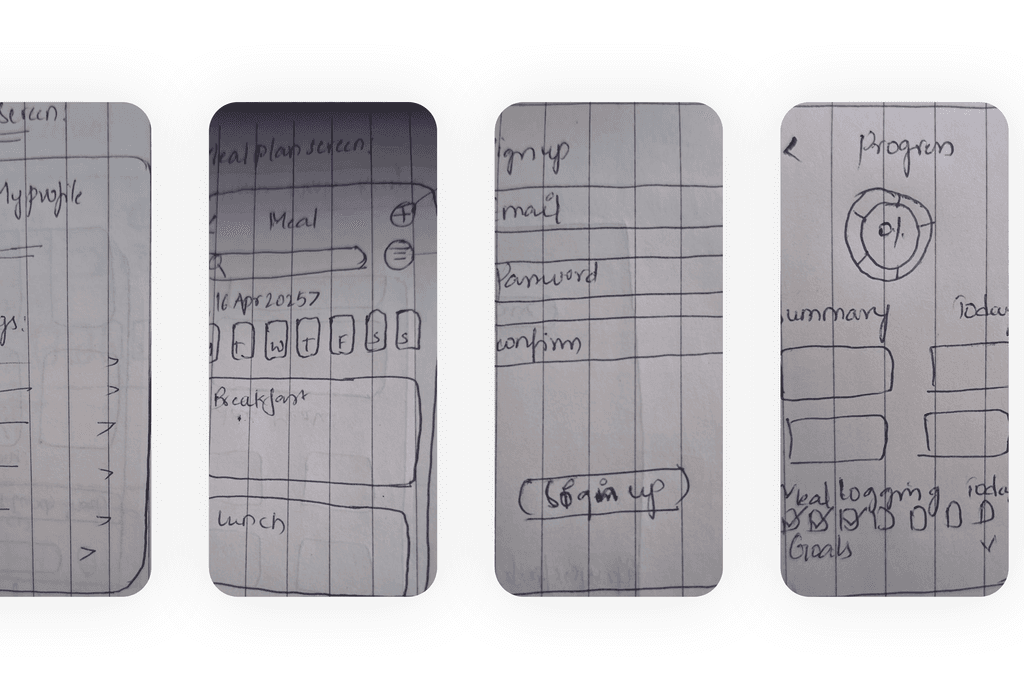
Final UI

Final UI

Expected Impact

Expected Impact

As a concept project, impact was evaluated qualitatively through user feedback and design validation rather than production metrics.

Early feedback suggested that Nutri-Craft helped users feel more in control of their daily food decisions, particularly by reducing the time spent filtering irrelevant recipes and translating health goals into actionable meals.

By incorporating constraints such as budget, time, dietary needs, and mood, the design aims to reduce decision fatigue and increase the likelihood of long-term engagement with healthy eating habits.

As a concept project, impact was evaluated qualitatively through user feedback and design validation rather than production metrics.

Early feedback suggested that Nutri-Craft helped users feel more in control of their daily food decisions, particularly by reducing the time spent filtering irrelevant recipes and translating health goals into actionable meals.

By incorporating constraints such as budget, time, dietary needs, and mood, the design aims to reduce decision fatigue and increase the likelihood of long-term engagement with healthy eating habits.

Reflection & Learnings

Reflection & Learnings

This project reinforced that personalization in health design extends beyond nutritional data. Effective meal planning must account for real-world constraints such as budget, time availability, and emotional state — not just ideal health goals.

A key learning was that AI systems should support user agency rather than replace decision-making, especially in sensitive domains like health. Framing AI outputs as suggestions, with clear feedback loops, helped maintain trust and flexibility.


Designing Nutri-Craft strengthened my ability to balance ethical AI considerations with practical UX constraints, and influenced how I approach personalization in future product design work.

This project reinforced that personalization in health design extends beyond nutritional data. Effective meal planning must account for real-world constraints such as budget, time availability, and emotional state — not just ideal health goals.

A key learning was that AI systems should support user agency rather than replace decision-making, especially in sensitive domains like health. Framing AI outputs as suggestions, with clear feedback loops, helped maintain trust and flexibility.


Designing Nutri-Craft strengthened my ability to balance ethical AI considerations with practical UX constraints, and influenced how I approach personalization in future product design work.

Expected Impact (Hypothesis-based)

Based on research and creator feedback:

  • 40% faster insight discovery (clearer dashboard)

  • 30% increase in content optimization (due to recommendation engine)

  • 45% reduction in cognitive load (due to improved data hierarchy)

  • Higher multi-platform adoption because creators can compare performance easily

These metrics show the system’s potential to elevate creator decision-making.

Reflection & Learnings

Designing dashboards requires balancing minimalism with depth.

  • Creators prefer actionable insights over complex data visuals.

  • Data density must be controlled ruthlessly — clarity beats quantity.

  • Platforms use different metrics → mapping a unified model was a major learning.

  • Next steps:

    • Add predictive analytics

    • Include team collaboration features

    • Add a mobile companion version

Create a free website with Framer, the website builder loved by startups, designers and agencies.